
Vibe coding is one of the biggest programming trends of 2026. The term describes an AI-assisted way of building software where developers explain what they want in natural language, and AI tools generate the code automatically. Instead of manually writing every function, command, or line of syntax, users interact with AI through prompts, instructions, and conversational workflows.
The phrase “vibe coding” was popularized by Andrej Karpathy in 2025. He described it as a new style of programming where developers “give in to the vibes” and allow AI models to handle most of the implementation work. Since then, the concept has rapidly expanded across startups, creator communities, SaaS businesses, and AI developer ecosystems.
What Does Vibe Coding Actually Mean?
At its core, vibe coding means building software through conversation rather than traditional coding. Instead of manually writing complex code structures, users explain their goals in plain English while AI generates the required implementation.
For example, instead of writing hundreds of lines of frontend code manually, a user might type:
“Create a modern landing page with dark mode, pricing cards, login functionality, and mobile responsiveness.”
The AI then generates the interface, layout, and logic automatically.
This approach shifts the developer’s role from “writing every line of code” to guiding, reviewing, refining, and testing AI-generated output.
Vibe coding does not completely remove coding knowledge, but it significantly reduces the technical barrier to entry. Many people now use AI tools to prototype applications in hours instead of weeks.
Why Vibe Coding Became Popular in 2026
Several major technology shifts contributed to the rise of vibe coding.
Large language models became dramatically better at generating functional code. Modern AI systems can now understand project structure, debug issues, generate UI components, write APIs, and even explain errors in natural language.
At the same time, AI coding platforms became easier to use. Instead of complicated developer environments, many tools now offer browser-based workspaces with built-in deployment systems and AI assistants.
The startup ecosystem also embraced rapid AI-assisted development. Founders discovered they could build minimum viable products much faster using AI coding workflows. According to industry reports discussed in 2026, AI-generated code is now responsible for a major percentage of modern software production.
Another reason for the popularity is accessibility. People who previously struggled to learn programming syntax can now create working software through prompting and experimentation.
How Vibe Coding Works
The vibe coding workflow usually follows a conversational loop between the human user and the AI system.
First, the user explains what they want to build. The prompt may include design instructions, features, layout preferences, or technical requirements.
Next, the AI generates the initial code. This can include frontend components, backend logic, APIs, styling, authentication systems, or database integrations.
The user then tests the generated output and provides feedback. If errors appear, the developer copies the error message into the AI chat and asks for fixes.
This process continues repeatedly until the application behaves correctly.
Modern vibe coding tools also support:
- AI debugging
- Auto-completion
- Prompt-based UI generation
- Database setup
- Deployment assistance
- Refactoring suggestions
- Code explanation features
The workflow is highly iterative and conversational compared to traditional software engineering.
Best Tools Used for Vibe Coding in 2026
Several AI-powered coding tools are driving the vibe coding movement in 2026.
Cursor
Cursor has become one of the most popular AI coding editors. It integrates AI assistance directly into the development environment and supports natural-language programming workflows.
Claude Code
Claude is widely used for generating, debugging, and reviewing large codebases. Many developers use it for architecture planning and code refinement.
Replit
Replit offers browser-based development with integrated AI features that simplify app building and deployment.
GitHub Copilot
GitHub Copilot remains one of the largest AI-assisted programming tools and helps developers autocomplete functions, generate code blocks, and reduce repetitive work.
Lovable
Lovable gained popularity for enabling users to generate applications visually with conversational prompts.
Bolt
Bolt is another rapidly growing AI-powered app builder focused on fast prototyping and full-stack generation.
Benefits of Vibe Coding
One of the biggest advantages of vibe coding is speed. Developers can build prototypes dramatically faster than traditional workflows.
Another major benefit is accessibility. People without computer science backgrounds can now experiment with software creation using natural-language instructions.
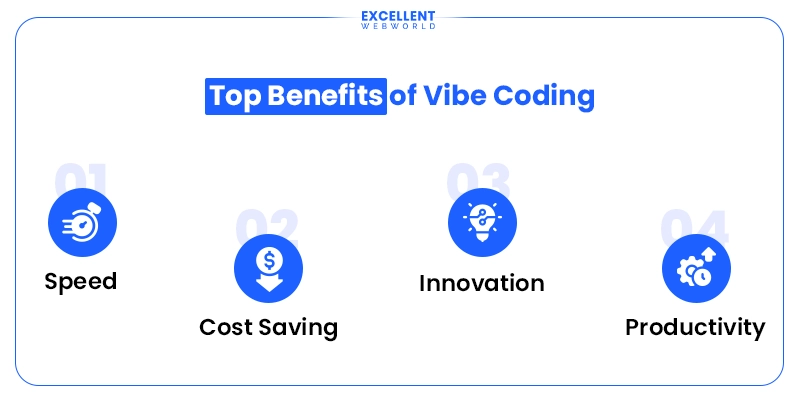
Vibe coding also reduces repetitive coding tasks. Boilerplate code, layouts, APIs, and repetitive functions can often be generated automatically.
Creativity is another advantage. Many developers report that AI tools help them stay focused on ideas and product building instead of syntax and debugging.
Businesses benefit as well because smaller teams can now accomplish work that previously required large engineering departments.
Problems and Risks of Vibe Coding
Despite its popularity, vibe coding also comes with important limitations.
AI-generated code is not always reliable. Some generated applications contain security vulnerabilities, inefficient architecture, duplicate logic, or scalability problems.
Many beginners also make the mistake of blindly accepting AI-generated output without understanding how it works.
Experienced developers warn that reviewing and testing AI code is still extremely important. AI can generate functional-looking code that breaks under real-world conditions.
Another issue is debugging complexity. While AI can fix many problems, some errors become difficult to diagnose if the user lacks programming fundamentals.
Experts also point out that AI-generated codebases can become messy over time without proper architecture planning.
Vibe Coding vs Traditional Coding
Traditional programming focuses heavily on manual implementation. Developers write functions, manage logic, structure files, and debug issues directly.
Vibe coding shifts much of that implementation work to AI systems.
In traditional development, syntax knowledge is essential. In vibe coding, communication and prompting become equally important.
However, experienced developers still hold an advantage because they understand architecture, testing, debugging, and software design principles better than beginners.
The future of development will likely combine both approaches rather than completely replacing traditional programming.
Who Should Learn Vibe Coding?
Vibe coding is useful for several types of users.
Beginners
People with no programming background can start building small projects much faster using AI-assisted tools.
Startup Founders
Entrepreneurs can prototype SaaS products quickly before hiring full engineering teams.
Content Creators
Creators can build websites, automation tools, landing pages, or AI utilities without extensive coding experience.
Professional Developers
Experienced engineers use vibe coding to speed up repetitive tasks and focus on system architecture.
Students
Students can learn programming concepts faster by experimenting with AI-generated examples and explanations.
Is Vibe Coding Replacing Software Engineers?
This is one of the biggest debates in the tech industry.
While AI coding tools are becoming extremely powerful, experts generally agree that software engineers are still essential for architecture, security, scalability, testing, optimization, and complex system design.
What is changing is the nature of programming work.
Developers are increasingly acting as:
- AI supervisors
- System architects
- Prompt engineers
- Product thinkers
- Reviewers and testers
Rather than eliminating programmers completely, vibe coding is changing how software gets built.
FAQs
Who should use Digital Tools
What Is Vibe Coding? Complete Beginner’s Guide for 2026 is built for readers who want a faster way to finish everyday web tasks. The main goal is shorter workflows, clearer outputs, and reusable tool habits, so the guide focuses on practical choices instead of broad theory.
Use it when you need one of these outcomes:
- testing a task before choosing a heavier app
- saving time on a repeated browser workflow
- combining a guide with a related AltFTool utility
How to get a better result
- Read the core use case and decide what output you need.
- Open the related AltFTool utility and test it with a small sample.
- Review the result, adjust settings, and repeat only if needed.
- Continue with related tools or guides for the next step in the workflow.
Start small, check the first output, and only then repeat the workflow with the full file, text, media, or game session. That gives you a quick quality check before you spend more time.
Quality checks before you trust the output
- the input is clean before running the tool
- the output matches the format you need
- private details are removed before sharing or downloading
Do not overcomplicate a simple task. Start with the smallest sample that proves the workflow, then scale up once the output looks right.
Continue your workflow
If you want to try the workflow now, open the related AltFTool tool area. For more reading, continue through the Digital Tools archive or the AltFTool tools directory.
This creates a cleaner path from explanation to action: read the guide, test the tool, compare the output, and move into the next related AltFTool resource only when it helps the task.
Reader questions
Quick answers
What is What Is Vibe Coding? Complete Beginner’s Guide for 2026 about?
Vibe coding is one of the biggest programming trends of 2026. The term describes an AI-assisted way of building software where developers explain what they want
When should I use Digital Tools?
Use Digital Tools when you need testing a task before choosing a heavier app or saving time on a repeated browser workflow. It is best for shorter workflows, clearer outputs, and reusable tool habits.
How do I get better results from Digital Tools?
Start with a small sample, then check that the input is clean before running the tool and the output matches the format you need. Review the output before using it in a final workflow.
Where can I find more Digital Tools guides?
Use the AltFTool blog archive, AltFTool tools directory, and related links on this page to explore more Digital Tools tutorials, tool workflows, and practical recommendations.
Sources and review notes
References used to check facts, freshness, and reader-safe recommendations in this guide.
Reviewed against AltFTool editorial guidance, related site archives, and linked tool pages for freshness and reader usefulness.
- 1AltFTool Digital Tools archive
AltFTool
- 2AltFTool tools directory
AltFTool
Discussion
0 comments
No comments yet
Discussion will appear here once it loads.