
Artificial Intelligence is rapidly changing the way people work, learn, and interact with technology. One of the most talked-about innovations in 2026 is the AI agent. From virtual assistants and customer support bots to smart automation systems, AI agents are becoming an important part of businesses and daily life.
An AI agent is designed to perform tasks automatically, make decisions, solve problems, and interact with users with minimal human involvement. These systems use artificial intelligence technologies like machine learning, natural language processing, and automation to complete specific goals efficiently.
As AI technology continues growing, understanding AI agents has become important for students, businesses, developers, marketers, and content creators.
What Is an AI Agent?
An AI agent is a software system that can observe information, process data, make decisions, and perform actions automatically to achieve a specific objective.
Unlike traditional software that only follows fixed instructions, AI agents can learn from data, adapt to situations, and improve performance over time.
AI agents are commonly used in:
- Virtual assistants
- Customer support chatbots
- Smart home systems
- AI automation tools
- Recommendation systems
- Business analytics
Content generation tools
These systems help reduce manual work and improve efficiency in different industries.
How AI Agents Work
AI agents work by collecting information from users, devices, or online systems and then processing that information using AI models and algorithms. After analyzing the data, the agent decides what action to take based on its programming and learning capabilities.
Most AI agents follow a simple process:
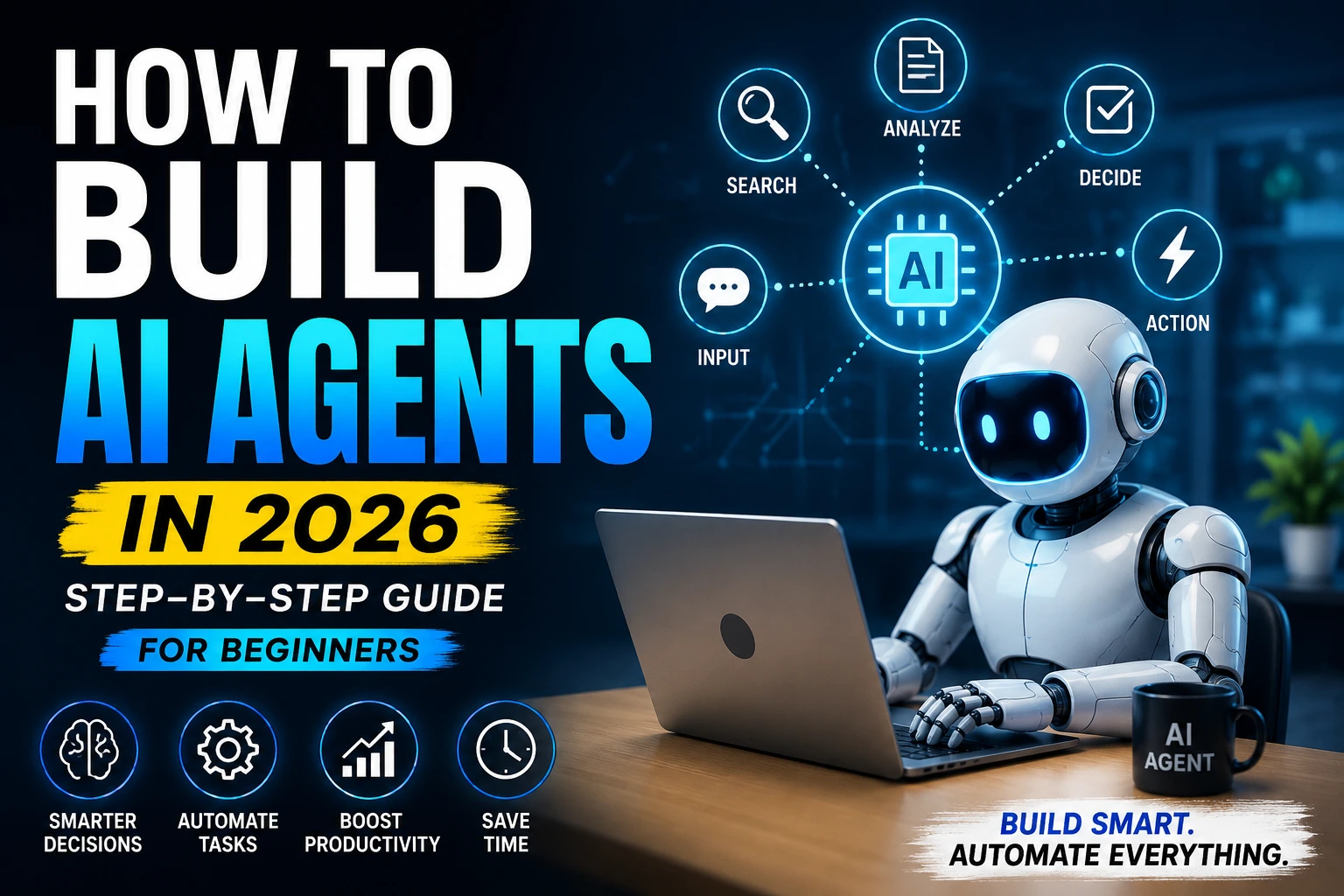
- Observe information
- Analyze data
- Make decisions
- Perform actions
Learn from outcomes
For example, a customer support AI agent can understand user questions, search for answers, and provide responses automatically without human support.
Types of AI Agents
1. Reactive AI Agents
These agents respond only to current inputs and do not store past experiences.
2. Learning AI Agents
They improve performance over time by learning from previous interactions and data.
3. Goal-Based AI Agents
These agents focus on achieving specific goals through decision-making processes.
4. Autonomous AI Agents
Autonomous agents can perform tasks independently with minimal human involvement.
5. Multi-Agent Systems
These involve multiple AI agents working together to complete complex tasks.
Pros & Cons of AI Agents
| Pros of AI Agents | Cons of AI Agents |
| 1. Improves Productivity – AI agents automate repetitive tasks and save time for businesses and individuals. | 1. High Development Costs – Advanced AI systems may require significant investment and technical resources. |
| 2. Reduces Human Effort – Many manual processes can be handled automatically with minimal supervision. | 2. Data Privacy Concerns – AI agents often process large amounts of user data, creating privacy risks. |
| 3. Faster Decision-Making – AI systems analyze data quickly and provide instant responses. | 3. Limited Human Understanding – AI systems may struggle with emotions, creativity, or complex human behavior. |
| 4. 24/7 Availability – AI agents can work continuously without breaks or downtime. | 4. Dependency on Technology – Businesses may become overly dependent on automated systems. |
| 5. Better Customer Support – Businesses use AI chatbots and virtual assistants to improve user experience and response speed. | 5. Risk of Errors – Incorrect data or poor training can lead to inaccurate AI decisions. |
Limitations of AI Agents
Although AI agents are powerful, they still have important limitations. AI systems depend heavily on data quality and training models. If the provided data is incomplete or biased, the AI agent may produce inaccurate or unfair results.
Most AI agents also lack true human emotions, common sense reasoning, and deep creativity. While they can automate tasks efficiently, they cannot fully replace human judgment in sensitive or complex situations.
Another limitation is cybersecurity and privacy concerns. Since AI agents often collect and process user information, businesses must ensure proper security and ethical data handling practices.
AI technology is still evolving, meaning many systems require continuous updates, monitoring, and human supervision for better performance.
Real-World Uses of AI Agents
AI agents are now widely used across industries to improve automation and efficiency. Businesses use AI chatbots for customer support, while marketers use AI tools for content generation and audience analysis. Smart assistants help users manage schedules, reminders, and online searches.
In healthcare, AI agents assist with data analysis and patient management. E-commerce companies use recommendation systems to personalize shopping experiences, and productivity tools use AI automation to improve workflow management.
The growing use of AI agents is transforming how businesses and individuals interact with technology.
Best Benefits of AI Agents
| Benefit | Impact |
| Automation | Reduces manual work |
| Faster Responses | Improves efficiency |
| 24/7 Availability | Continuous support |
| Smart Decision-Making | Better data analysis |
| Scalability | Supports business growth |
| Personalization | Improves user experience |
Are AI Agents the Future?
Yes, AI agents are expected to become a major part of future technology. As artificial intelligence continues improving, AI agents will become smarter, more efficient, and more capable of handling complex tasks.
Businesses are increasingly adopting AI automation to improve productivity, customer support, and operational efficiency. Students, marketers, developers, and professionals are also using AI-powered tools to simplify work and save time.
However, human creativity, emotional intelligence, and ethical decision-making will still remain important even as AI systems advance.
FAQs
Who should use Digital Tools
What Is an AI Agent? Complete Beginner’s Guide 2026 is built for readers who want a faster way to finish everyday web tasks. The main goal is shorter workflows, clearer outputs, and reusable tool habits, so the guide focuses on practical choices instead of broad theory.
Use it when you need one of these outcomes:
- testing a task before choosing a heavier app
- saving time on a repeated browser workflow
- combining a guide with a related AltFTool utility
How to get a better result
- Read the core use case and decide what output you need.
- Open the related AltFTool utility and test it with a small sample.
- Review the result, adjust settings, and repeat only if needed.
- Continue with related tools or guides for the next step in the workflow.
Start small, check the first output, and only then repeat the workflow with the full file, text, media, or game session. That gives you a quick quality check before you spend more time.
Quality checks before you trust the output
- the input is clean before running the tool
- the output matches the format you need
- private details are removed before sharing or downloading
Do not overcomplicate a simple task. Start with the smallest sample that proves the workflow, then scale up once the output looks right.
Continue your workflow
If you want to try the workflow now, open the related AltFTool tool area. For more reading, continue through the Digital Tools archive or the AltFTool tools directory.
This creates a cleaner path from explanation to action: read the guide, test the tool, compare the output, and move into the next related AltFTool resource only when it helps the task.
Reader questions
Quick answers
What is What Is an AI Agent? Complete Beginner’s Guide 2026 about?
Artificial Intelligence is rapidly changing the way people work, learn, and interact with technology. One of the most talked-about innovations in 2026 is the AI
When should I use Digital Tools?
Use Digital Tools when you need testing a task before choosing a heavier app or saving time on a repeated browser workflow. It is best for shorter workflows, clearer outputs, and reusable tool habits.
How do I get better results from Digital Tools?
Start with a small sample, then check that the input is clean before running the tool and the output matches the format you need. Review the output before using it in a final workflow.
Where can I find more Digital Tools guides?
Use the AltFTool blog archive, AltFTool tools directory, and related links on this page to explore more Digital Tools tutorials, tool workflows, and practical recommendations.
Sources and review notes
References used to check facts, freshness, and reader-safe recommendations in this guide.
Reviewed against AltFTool editorial guidance, related site archives, and linked tool pages for freshness and reader usefulness.
- 1AltFTool Digital Tools archive
AltFTool
- 2AltFTool tools directory
AltFTool
Discussion
0 comments
No comments yet
Discussion will appear here once it loads.