
The landscape of digital design has been completely reshaped in 2026. The era where professional-grade creativity required a decade of experience is over. Whether you are a seasoned art director or a business owner creating your first social media post, the right tool can unlock professional results.
As of 2026, the global content creation tools market is valued at $37.2 billion, with adoption rates soaring as AI integrates into every aspect of workflow. To help you navigate this crowded space, we have analyzed market data, expert reviews, and user adoption statistics to curate a guide to the top tools that will make you “Design Like a Pro.”
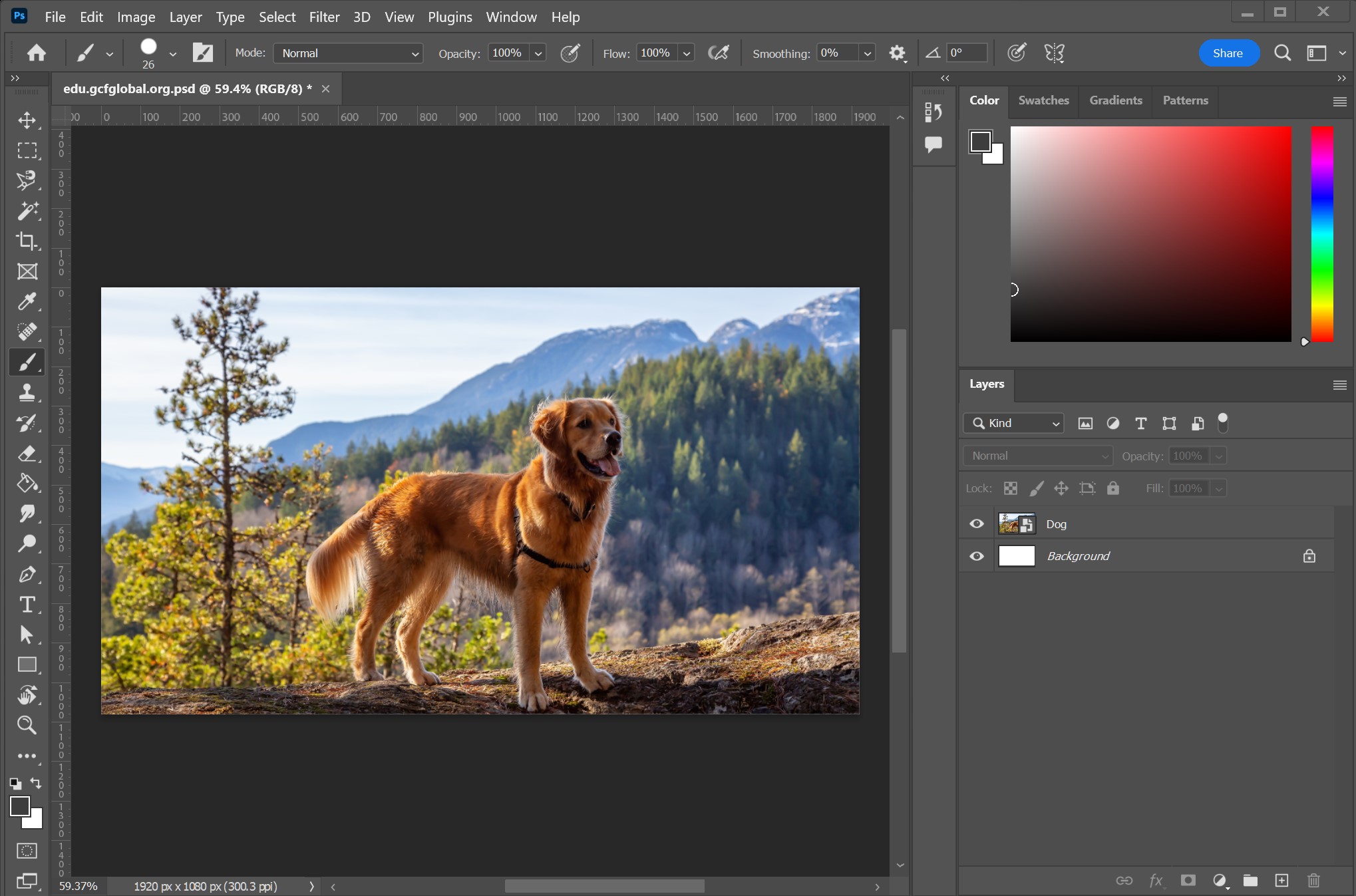
The New Giants: AI-Powered Platforms
In 2026, the biggest shift in design is the move toward "Vibe Design" and generative AI. Google Labs has introduced Stitch, an AI-native design platform that allows users to describe a "vibe" rather than a layout, generating high-fidelity UI instantly. Its key features include voice control, infinite canvas, and the ability to generate clickable prototypes from static designs.
For those looking for a more integrated ecosystem, the market leaders are defined by distinct philosophies:
Canva: Dominating the market with over 260 million monthly active users, Canva is the "Creative Operating System" for non-designers and teams. It offers Magic Studio AI tools for rapid content generation and is the most-used vendor in the content creation space as of March 2026.
Figma: The go-to for product and UI/UX teams. With over 13 million users, Figma excels in real-time collaboration and design systems, offering a free tier that is accessible to freelancers.
Adobe Creative Cloud: Remains the industry standard for professional print, photo, and video work, generating $23.77 billion in FY2025 revenue, but carries a higher learning curve and price tag ($59.99+/month).
Generative AI Tools for Visuals
To "design like a pro" today means leveraging AI to handle the heavy lifting of asset creation. According to the 2026 design charts, the following generative AI tools lead the pack:
Adobe Firefly 3.0: Uniquely integrated into Photoshop and Illustrator, Firefly is praised for its "commercially safe" training data (licensed content). It is ideal for vector graphics, image expansion, and professional print work.
Midjourney V7: Tops the charts for concept art and visual exploration. With unmatched photorealism and style versatility, it is the preferred tool for creative directors for moodboarding and advertising mockups.
Runway Gen-3: As video content becomes the fastest-growing format, Runway leads in motion graphics. It allows creators to generate short video clips, animated logos, and audio-reactive visuals from text prompts.
Specialized Tools for UI/UX and Prototyping
If you are designing apps or websites, specific tools have emerged to streamline the workflow from idea to code. For UI/UX designers in 2026, integration is key:
Figma AI: Figma’s native AI layer helps with "First Draft" generation, auto-layout suggestions, and a "Check Designs" linter that catches inconsistencies before handoff.
Uizard: Ideal for rapid wireframing, Uizard turns hand-drawn sketches or screenshots into editable digital designs. It was acquired by Miro in 2024 and remains a top choice for product managers.
Cursor & v0: For designers who code, Cursor acts as an AI-powered code editor that understands design intent, while v0 by Vercel generates production-ready React components from prompts.
Ethical Considerations and Professional Standards
As you adopt these tools, professionalism now includes transparency. The Association of Registered Graphic Designers (RGD) emphasizes that while AI amplifies creativity, it does not replace human judgment. Designers are encouraged to maintain an AI statement in their practice, review licensing terms, and ensure outputs are reviewed by a human before release.
Summary: How to Choose Your Stack
The "best" tool depends entirely on your role and goals:
| User Profile | Recommended Tools | Rationale |
| Solo Designer | Figma AI + Cursor | Allows for generation, iteration, and code export without leaving core tools. |
| Marketing Team | Canva Teams + Adobe Express | Enables brand compliance, rapid social media content, and collaboration at scale. |
| Creative Director | Midjourney + Firefly | Best for exploring visual directions, concept art, and generating high-quality inspiration. |
| UX Professional | Maze + UX Pilot | Combines AI-powered usability testing with rapid screen generation for validation. |
Who should use Digital Tools
Design Like a Pro with Top Digital Creative Tools. is built for readers who want a faster way to finish everyday web tasks. The main goal is shorter workflows, clearer outputs, and reusable tool habits, so the guide focuses on practical choices instead of broad theory.
Use it when you need one of these outcomes:
- testing a task before choosing a heavier app
- saving time on a repeated browser workflow
- combining a guide with a related AltFTool utility
How to get a better result
- Read the core use case and decide what output you need.
- Open the related AltFTool utility and test it with a small sample.
- Review the result, adjust settings, and repeat only if needed.
- Continue with related tools or guides for the next step in the workflow.
Start small, check the first output, and only then repeat the workflow with the full file, text, media, or game session. That gives you a quick quality check before you spend more time.
Quality checks before you trust the output
- the input is clean before running the tool
- the output matches the format you need
- private details are removed before sharing or downloading
Do not overcomplicate a simple task. Start with the smallest sample that proves the workflow, then scale up once the output looks right.
Continue your workflow
If you want to try the workflow now, open the related AltFTool tool area. For more reading, continue through the Digital Tools archive or the AltFTool tools directory.
This creates a cleaner path from explanation to action: read the guide, test the tool, compare the output, and move into the next related AltFTool resource only when it helps the task.
Reader questions
Quick answers
What is Design Like a Pro with Top Digital Creative Tools. about?
The landscape of digital design has been completely reshaped in 2026. The era where professional-grade creativity required a decade of experience is over. Wheth
When should I use Digital Tools?
Use Digital Tools when you need testing a task before choosing a heavier app or saving time on a repeated browser workflow. It is best for shorter workflows, clearer outputs, and reusable tool habits.
How do I get better results from Digital Tools?
Start with a small sample, then check that the input is clean before running the tool and the output matches the format you need. Review the output before using it in a final workflow.
Where can I find more Digital Tools guides?
Use the AltFTool blog archive, AltFTool tools directory, and related links on this page to explore more Digital Tools tutorials, tool workflows, and practical recommendations.
Sources and review notes
References used to check facts, freshness, and reader-safe recommendations in this guide.
Reviewed against AltFTool editorial guidance, related site archives, and linked tool pages for freshness and reader usefulness.
- 1AltFTool Digital Tools archive
AltFTool
- 2AltFTool tools directory
AltFTool
Discussion
0 comments
No comments yet
Discussion will appear here once it loads.