
Creating engaging YouTube videos requires more than good editing and attractive thumbnails. A well-structured script helps creators organize ideas, improve audience retention, and deliver content more clearly. In 2026, YouTube competition is increasing rapidly, making strong video scripting more important than ever.
A YouTube script template helps creators save time, reduce mistakes, and create professional-quality videos. Whether you are a beginner YouTuber, educator, marketer, or influencer, using a structured script can improve both confidence and content quality.
What Is a YouTube Script Template?
A YouTube script template is a pre-planned structure used to organize video content before recording. Instead of speaking randomly, creators follow a clear flow that improves communication and engagement.
A basic script template usually includes:
- Hook or introduction
- Main content
- Storytelling or examples
- Call-to-action (CTA)
Conclusion
Using a script template helps videos feel more professional and organized.
Why YouTube Scripts Matter in 2026
Millions of videos are uploaded daily, and viewers now prefer content that is clear, engaging, and well-structured. A strong script helps creators keep viewers interested and improve watch time.
YouTube scripts help creators:
- Improve audience retention
- Deliver information clearly
- Reduce recording mistakes
- Build confidence while speaking
Create professional content
Well-written scripts also make editing easier because the content flow is already planned.
Basic Structure of a YouTube Script
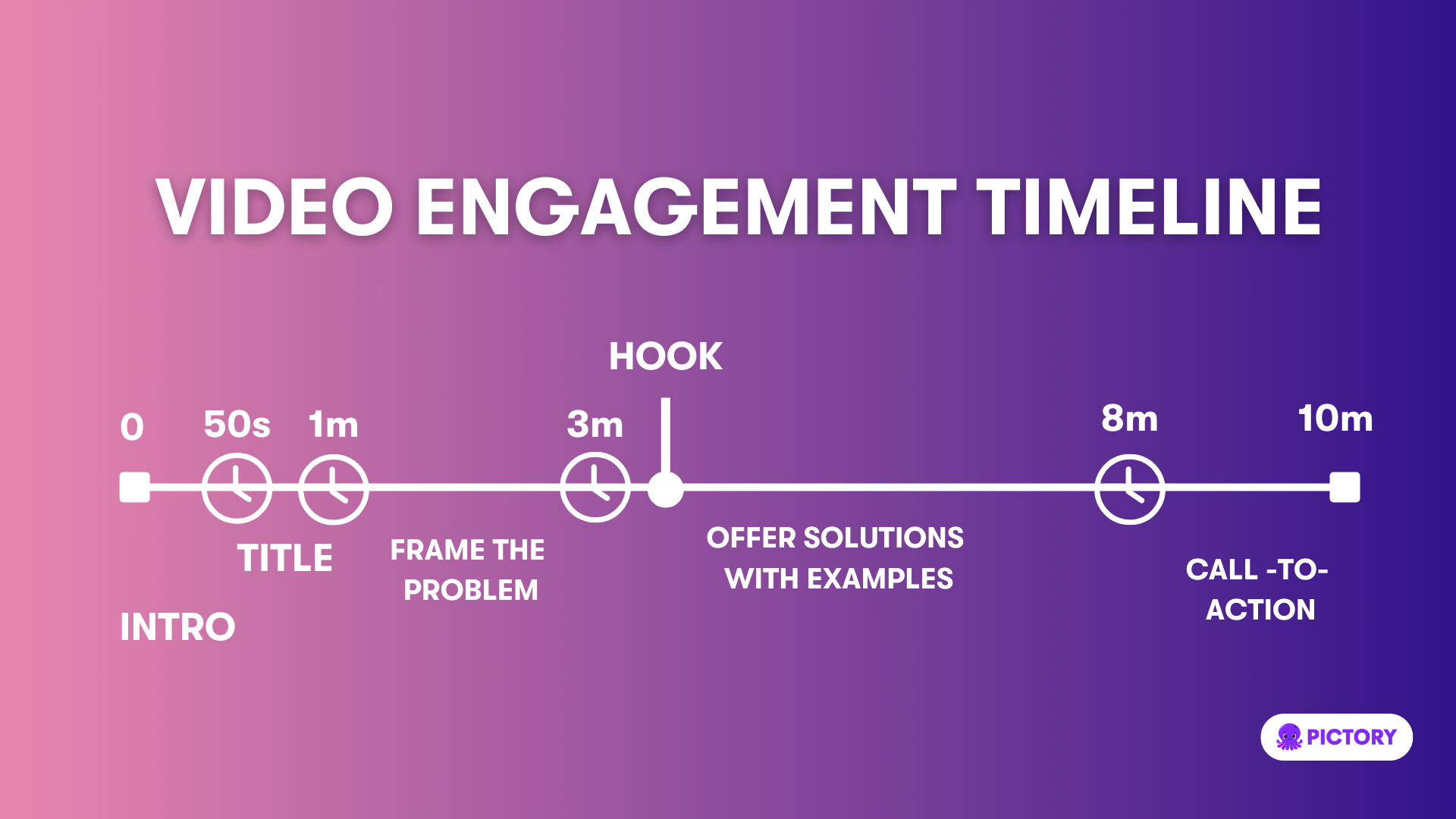
1. Strong Hook
The first few seconds should quickly grab viewer attention and explain why the video is worth watching.
2. Introduction
Introduce the topic and briefly explain what viewers will learn.
3. Main Content
Break the video into smaller sections to improve understanding and engagement.
4. Call-to-Action
Encourage viewers to like, comment, subscribe, or visit your website.
5. Conclusion
Summarize the video and end with a clear closing message.
Pros of Using YouTube Script Templates
1. Better Content Organization
Scripts help creators structure ideas clearly and maintain smooth video flow.
2. Improves Audience Retention
Planned scripts keep viewers engaged for longer periods.
3. Saves Recording Time
Creators make fewer mistakes during recording because the content is already prepared.
4. Builds Confidence
Scripts reduce nervousness and hesitation while speaking.
5. Professional Video Quality
Structured videos appear more polished and engaging.
Cons of Using YouTube Script Templates
1. Can Sound Robotic
Reading scripts word-for-word may reduce natural communication.
2. Time-Consuming Preparation
Writing detailed scripts requires planning and research.
3. Less Flexibility
Strict scripts can limit spontaneous creativity during recording.
4. Overdependence on Scripts
Some creators may struggle to speak naturally without prepared content.
5. Editing Adjustments May Still Be Needed
Certain sections may require changes during editing or recording.
Limitations of YouTube Script Templates
Although YouTube script templates are helpful, they may not work equally well for every content style. Vlogs, reaction videos, and entertainment content often require more natural and spontaneous communication. Some creators may also spend too much time perfecting scripts instead of focusing on creativity and audience connection.
A script alone cannot guarantee video success. Delivery style, storytelling, editing, visuals, and consistency also play an important role in audience engagement.
Tips for Writing Better YouTube Scripts
Before writing a script, creators should understand their audience and video goals. Using short and simple sentences improves clarity and makes videos easier to follow. Adding storytelling and real-life examples also makes content more engaging and relatable.
Practicing the script before recording helps improve confidence and delivery. Creators should use scripts as guidelines instead of reading every line exactly to maintain a natural speaking style.
Best Video Types for Script Templates
| Video Type | Why Scripts Help |
| Tutorials | Improves explanation clarity |
| Educational Videos | Organizes learning points |
| Product Reviews | Maintains structured comparisons |
| Marketing Videos | Delivers clear messaging |
| YouTube Shorts | Keeps content concise |
| Explainer Videos | Improves audience understanding |
Are YouTube Script Templates Worth Using?
Yes, YouTube script templates are highly valuable for creators in 2026. They help improve workflow efficiency, organize content, and create more professional videos. Beginners especially benefit from templates because they reduce confusion during recording.
However, creators should balance structure with natural communication to avoid sounding overly scripted.
FAQs
Who should use Digital Tools
Best YouTube Script Template for Engaging Video Content is built for creators and researchers saving publicly available media references for later use. The main goal is faster media collection, cleaner references, and less manual searching, so the guide focuses on practical choices instead of broad theory.
Use it when you need one of these outcomes:
- saving a thumbnail or media reference for a project brief
- reviewing examples while planning content
- keeping public assets organized before editing or publishing
How to get a better result
- Copy the public media URL from the source platform.
- Paste it into the relevant AltFTool downloader or helper page.
- Choose the output that matches your intended quality and file size.
- Store the file with a clear name and respect the original creator's rights.
Start small, check the first output, and only then repeat the workflow with the full file, text, media, or game session. That gives you a quick quality check before you spend more time.
Quality checks before you trust the output
- you have permission or a valid reason to save the content
- the chosen quality is high enough for your intended use
- the downloaded file name makes the source easy to identify later
Do not reuse downloaded media as if you own it. Always check platform rules, creator permissions, and whether your use is personal, educational, or commercial.
Continue your workflow
If you want to try the workflow now, open the related AltFTool tool area. For more reading, continue through the Digital Tools archive or the AltFTool creator media guides.
This creates a cleaner path from explanation to action: read the guide, test the tool, compare the output, and move into the next related AltFTool resource only when it helps the task.
Reader questions
Quick answers
What is Best YouTube Script Template for Engaging Video Content about?
Creating engaging YouTube videos requires more than good editing and attractive thumbnails. A well-structured script helps creators organize ideas, improve audi
When should I use Digital Tools?
Use Digital Tools when you need saving a thumbnail or media reference for a project brief or reviewing examples while planning content. It is best for faster media collection, cleaner references, and less manual searching.
How do I get better results from Digital Tools?
Start with a small sample, then check that you have permission or a valid reason to save the content and the chosen quality is high enough for your intended use. Review the output before using it in a final workflow.
Where can I find more Digital Tools guides?
Use the AltFTool blog archive, AltFTool creator media guides, and related links on this page to explore more Digital Tools tutorials, tool workflows, and practical recommendations.
Sources and review notes
References used to check facts, freshness, and reader-safe recommendations in this guide.
Reviewed against AltFTool editorial guidance, related site archives, and linked tool pages for freshness and reader usefulness.
- 1AltFTool Digital Tools archive
AltFTool
- 2AltFTool creator media guides
AltFTool
- 3AltFTool related tools area
AltFTool
Discussion
0 comments
No comments yet
Discussion will appear here once it loads.