
In modern programming and web development, handling text efficiently is extremely important. Developers often need to search, validate, filter, and extract specific information from large amounts of text data. This is where Regular Expressions, commonly called Regex, become highly useful. Regex allows users to define text patterns that can match specific strings, making tasks like email validation, password checking, data extraction, and log analysis much easier.
Whether you are a beginner learning regex or an experienced developer working on complex validation tasks, a regex tester can improve accuracy, reduce development time, and simplify debugging.
What Is a Smart Regex Tester?
A Smart Regex Tester is a tool designed to test and validate regular expression patterns against text inputs. It allows users to enter regex code and instantly see whether the pattern matches the expected text.
Instead of manually running code repeatedly, developers can test patterns directly in the tool and receive real-time results. Many regex testers also highlight matched text, explain regex components, and detect syntax errors automatically.
Regex testers are widely used in software development, web development, automation, cybersecurity, data analysis, and quality assurance testing.
Why Regex Testing Is Important
Regex patterns can become complicated very quickly. Missing a single character or symbol may completely change how a pattern behaves. Testing regex before using it in applications helps developers avoid bugs and incorrect validations.
For example, a website login form may use regex to validate passwords or email addresses. If the regex pattern is incorrect, users may face login problems or security vulnerabilities.
Regex testing helps ensure patterns work correctly with different types of input. It also improves overall application performance and user experience.
How a Smart Regex Tester Works
A Smart Regex Tester works by comparing a regex pattern against sample text provided by the user. The tool processes the expression and displays matching results instantly.
Basic Working Process
- Enter the regex pattern
- Add sample text or input
- Run the validation test
- View highlighted matches
Detect errors or unmatched patterns
Some advanced regex testers also support features like syntax highlighting, regex explanations, live matching, and support for multiple programming languages.
These tools make regex easier to understand, especially for beginners who are still learning regex syntax.
Features of a Smart Regex Tester
Modern regex testers include several advanced features that improve usability and testing efficiency.
Real-Time Matching
The tool instantly highlights matching text as users type regex patterns.
Syntax Highlighting
Regex symbols and components are color-coded for better readability.
Error Detection
Invalid syntax and formatting issues are identified automatically.
Match Explanation
Some tools explain each regex component step by step.
Multi-Language Support
Supports regex engines used in JavaScript, Python, PHP, Java, and other languages.
Common Uses of Regex Testers
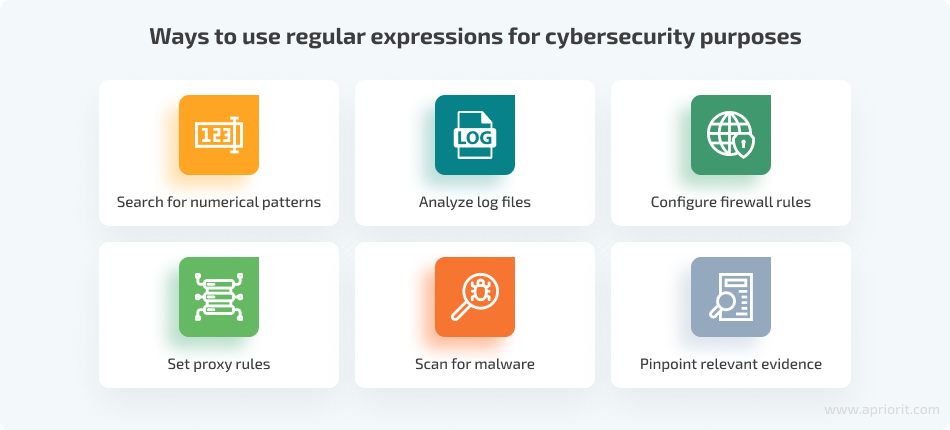
Regex testers are widely used in many industries and technical tasks because they help process and validate text efficiently. In form validation, regex is commonly used to verify emails, passwords, phone numbers, ZIP codes, and usernames to ensure users enter data in the correct format. Developers and analysts also use regex for data extraction by pulling specific information from logs, databases, documents, or text files quickly and accurately.
Regex is also helpful for search and replace operations, allowing users to find matching text patterns and replace them instantly in code or documents. In web development, regex helps validate user inputs and sanitize website data to improve security and functionality. Cybersecurity professionals use regex to analyze server logs, detect suspicious activities, and filter security-related information.
Pros of Using a Smart Regex Tester
Saves Development Time
Regex testers allow developers to test patterns instantly without running full applications repeatedly.
Improves Accuracy
Testing helps ensure regex patterns match exactly what users expect.
Reduces Errors
Syntax mistakes and invalid patterns are detected quickly.
Beginner-Friendly
Many tools provide explanations and examples that help beginners understand regex.
Faster Debugging
Developers can identify matching issues instantly.
Supports Multiple Languages
Most tools support regex engines for different programming languages.
Cons of Using a Smart Regex Tester
Although Smart Regex Testers are very useful, they also have some disadvantages.
Many advanced regex testing tools limit important features in free versions. Beginners may still find regex difficult to understand because some expressions can become very complex. Regex behavior may also differ slightly depending on the programming language or regex engine being used.
Overusing complicated regex patterns can make code harder to maintain and understand for other developers. Additionally, testing tools cannot always predict real-world performance issues inside large applications.
Limitations of Regex Testers
Regex cannot replace full programming or application logic.
Complex regex patterns can be difficult to read and manage.
Very large expressions may slow down application performance.
Regex behavior may differ across programming languages.
Regex cannot fully understand human language context or grammar.
Users still need basic regex knowledge for effective usage.

Best Practices for Using a Regex Tester
To get the best results from a regex tester, users should follow some important practices.
Keep Patterns Simple
Avoid unnecessary complexity whenever possible.
Test Multiple Inputs
Validate regex using both valid and invalid examples.
Use Comments
Document complex regex patterns for better readability.
Optimize Performance
Avoid patterns that require excessive processing time.
Learn Basic Syntax
Understanding character classes, quantifiers, and anchors improves regex quality.
Why Developers Prefer Smart Regex Testers
Developers prefer Smart Regex Testers because they simplify one of the most difficult parts of programming. Regex syntax can often look confusing, especially when working with nested conditions or advanced validations.
A good regex tester provides instant feedback, visual matching, and easier debugging. This allows developers to focus more on building applications rather than troubleshooting text patterns manually.
Many modern development teams also use regex testers during collaboration to verify patterns before integrating them into production systems.
FAQs
Who should use Digital Tools
Smart Regex Tester for Fast Pattern Matching & Validation is built for readers who want a faster way to finish everyday web tasks. The main goal is shorter workflows, clearer outputs, and reusable tool habits, so the guide focuses on practical choices instead of broad theory.
Use it when you need one of these outcomes:
- testing a task before choosing a heavier app
- saving time on a repeated browser workflow
- combining a guide with a related AltFTool utility
How to get a better result
- Read the core use case and decide what output you need.
- Open the related AltFTool utility and test it with a small sample.
- Review the result, adjust settings, and repeat only if needed.
- Continue with related tools or guides for the next step in the workflow.
Start small, check the first output, and only then repeat the workflow with the full file, text, media, or game session. That gives you a quick quality check before you spend more time.
Quality checks before you trust the output
- the input is clean before running the tool
- the output matches the format you need
- private details are removed before sharing or downloading
Do not overcomplicate a simple task. Start with the smallest sample that proves the workflow, then scale up once the output looks right.
Continue your workflow
If you want to try the workflow now, open the related AltFTool tool area. For more reading, continue through the Digital Tools archive or the AltFTool tools directory.
This creates a cleaner path from explanation to action: read the guide, test the tool, compare the output, and move into the next related AltFTool resource only when it helps the task.
Reader questions
Quick answers
What is Smart Regex Tester for Fast Pattern Matching & Validation about?
In modern programming and web development, handling text efficiently is extremely important. Developers often need to search, validate, filter, and extract spec
When should I use Digital Tools?
Use Digital Tools when you need testing a task before choosing a heavier app or saving time on a repeated browser workflow. It is best for shorter workflows, clearer outputs, and reusable tool habits.
How do I get better results from Digital Tools?
Start with a small sample, then check that the input is clean before running the tool and the output matches the format you need. Review the output before using it in a final workflow.
Where can I find more Digital Tools guides?
Use the AltFTool blog archive, AltFTool tools directory, and related links on this page to explore more Digital Tools tutorials, tool workflows, and practical recommendations.
Sources and review notes
References used to check facts, freshness, and reader-safe recommendations in this guide.
Reviewed against AltFTool editorial guidance, related site archives, and linked tool pages for freshness and reader usefulness.
- 1AltFTool Digital Tools archive
AltFTool
- 2AltFTool tools directory
AltFTool
Discussion
0 comments
No comments yet
Discussion will appear here once it loads.