
Creating engaging YouTube content consistently is not easy. From brainstorming ideas to writing scripts, optimizing titles, and improving audience engagement, the process requires both creativity and strategy. This is where AI prompts come in. They are transforming how creators plan, produce, and grow their YouTube channels.
AI prompts act as a creative assistant that helps YouTubers generate ideas, structure content, and optimize videos for better performance. Whether you are a beginner or an experienced creator, using AI prompts can save time and improve the quality of your content.
What Are AI Prompts for YouTube?
AI prompts are specific instructions or questions given to AI tools to generate content ideas, scripts, titles, or strategies for YouTube videos. Instead of starting from scratch, creators can use prompts to quickly generate structured and relevant content.
For example, instead of struggling with what to say in a video, a creator can use a prompt like:
“Write a YouTube script for a video about budget travel tips with an engaging hook and clear structure.”
The better the prompt, the better the output.
How AI Prompts Help YouTube Creators
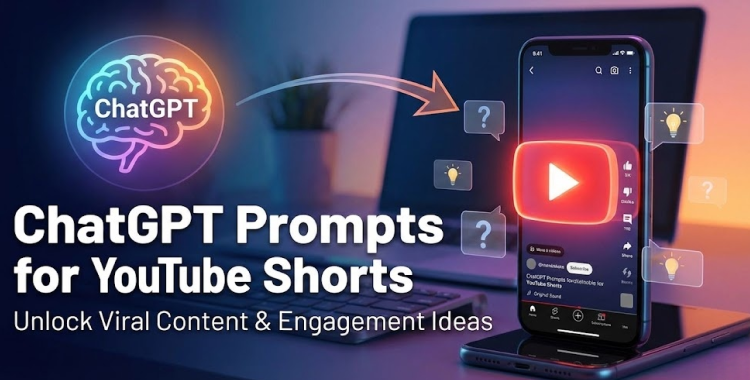
AI prompts simplify the entire content creation process. They help creators generate video ideas, write scripts, and optimize content without spending hours brainstorming.
One of the biggest advantages is speed. Instead of manually researching and planning, creators can get instant suggestions. AI can also help maintain consistency by generating content regularly, which is essential for growing a YouTube channel.
Another key benefit is optimization. AI prompts can generate SEO-friendly titles, descriptions, and tags that improve video visibility and reach.
Examples of Useful AI Prompts for YouTube
| Purpose | Example Prompt |
| Video ideas | Suggest 10 YouTube video ideas for a tech channel |
| Script writing | Write a YouTube script with hook, intro, and conclusion |
| Titles | Generate catchy YouTube titles for a fitness video |
| SEO optimization | Create SEO-friendly description and tags |
| Engagement | Suggest ways to increase audience retention |
Pros and Cons of Using AI Prompts
AI prompts offer many benefits, but they also come with certain drawbacks. Understanding both helps creators use them effectively.
| Pros | Cons |
| Saves time in content creation | Can lead to generic content |
| Helps generate creative ideas | Risk of overdependence |
| Improves SEO optimization | May lack personal voice |
| Supports consistency | Not always 100% accurate |
| Easy to use for beginners | Requires editing and refinement |
Limitations of AI Prompts
While AI prompts are powerful, they are not perfect. One major limitation is that AI lacks human creativity and emotional understanding. It can generate structured content, but it may not always capture your unique voice or style.
Another limitation is context. If prompts are not clear, the output may be irrelevant or too general. This means creators need to refine and guide the AI properly.
AI also cannot fully replace experience. Successful YouTube content depends on storytelling, authenticity, and audience connection—things that still require human input.
Best Practices for Using AI Prompts
To get the best results, creators should use AI prompts as a starting point rather than a final solution. Always review, edit, and personalize the content to match your style.
Providing clear and detailed prompts improves output quality. For example, instead of asking for a “video idea,” specify your niche, audience, and goal.
Combining AI tools with your creativity ensures better and more original content. This balance is key to long-term success on YouTube.
The Future of AI in YouTube Content Creation
AI is becoming an essential part of content creation. From scriptwriting to video editing and analytics, AI tools are making it easier for creators to produce high-quality videos.
In the future, AI will likely become more advanced, offering even better personalization and automation. However, the most successful creators will be those who use AI as a tool—not a replacement for creativity.
FAQs
Who should use Digital Tools
AI Prompts for YouTube: Create Smarter Video Content is built for creators and researchers saving publicly available media references for later use. The main goal is faster media collection, cleaner references, and less manual searching, so the guide focuses on practical choices instead of broad theory.
Use it when you need one of these outcomes:
- saving a thumbnail or media reference for a project brief
- reviewing examples while planning content
- keeping public assets organized before editing or publishing
How to get a better result
- Copy the public media URL from the source platform.
- Paste it into the relevant AltFTool downloader or helper page.
- Choose the output that matches your intended quality and file size.
- Store the file with a clear name and respect the original creator's rights.
Start small, check the first output, and only then repeat the workflow with the full file, text, media, or game session. That gives you a quick quality check before you spend more time.
Quality checks before you trust the output
- you have permission or a valid reason to save the content
- the chosen quality is high enough for your intended use
- the downloaded file name makes the source easy to identify later
Do not reuse downloaded media as if you own it. Always check platform rules, creator permissions, and whether your use is personal, educational, or commercial.
Continue your workflow
If you want to try the workflow now, open the related AltFTool tool area. For more reading, continue through the Digital Tools archive or the AltFTool creator media guides.
This creates a cleaner path from explanation to action: read the guide, test the tool, compare the output, and move into the next related AltFTool resource only when it helps the task.
Reader questions
Quick answers
What is AI Prompts for YouTube: Create Smarter Video Content about?
Creating engaging YouTube content consistently is not easy. From brainstorming ideas to writing scripts, optimizing titles, and improving audience engagement, t
When should I use Digital Tools?
Use Digital Tools when you need saving a thumbnail or media reference for a project brief or reviewing examples while planning content. It is best for faster media collection, cleaner references, and less manual searching.
How do I get better results from Digital Tools?
Start with a small sample, then check that you have permission or a valid reason to save the content and the chosen quality is high enough for your intended use. Review the output before using it in a final workflow.
Where can I find more Digital Tools guides?
Use the AltFTool blog archive, AltFTool creator media guides, and related links on this page to explore more Digital Tools tutorials, tool workflows, and practical recommendations.
Sources and review notes
References used to check facts, freshness, and reader-safe recommendations in this guide.
Reviewed against AltFTool editorial guidance, related site archives, and linked tool pages for freshness and reader usefulness.
- 1AltFTool Digital Tools archive
AltFTool
- 2AltFTool creator media guides
AltFTool
- 3AltFTool related tools area
AltFTool
Discussion
0 comments
No comments yet
Discussion will appear here once it loads.