
The question of the "best" website creation platform has no single answer—it depends entirely on your technical skills, budget, goals, and long-term vision. In 2026, the market has matured into distinct categories, each serving different needs.
Below is a comprehensive comparison of the leading platforms, backed by current market data and expert analysis.
Market Overview
The global website builders market was valued at USD 2.72 billion in 2026 and is projected to reach USD 4.76 billion by 2035, growing at a CAGR of 6.4%. This growth is driven by:
71% of small businesses maintain an official website
64% of consumers evaluate companies based on their website design and functionality
58% of entrepreneurs prefer website builders over custom coding due to lower technical complexity
Platform Usage Share (2026)
| Platform | Share of All Websites | Share Among CMS-Using Sites |
| WordPress | 42.6% | 59.9% |
| Shopify | 5.1% | 7.2% |
| Wix | 4.2% | 6.0% |
| Squarespace | 2.5% | 3.4% |
| Webflow | 0.9% | 1.2% |
*Source: Cube-Host CMS Market Analysis, 2026*
Platform Categories
In 2026, website creation platforms fall into five distinct categories:
| Type | Examples | Best For | Main Tradeoff |
| Self-hosted CMS | WordPress, Joomla | Maximum flexibility, ownership, SEO | You manage hosting, updates, security |
| All-in-one builder | Wix, Squarespace, Duda | Fast launch, minimal tech skills | Less control, migration is difficult |
| E-commerce platform | Shopify | Online stores with "sell first" priority | Monthly fees, less backend control |
| Visual developer | Webflow, Tilda | Marketing sites, design-heavy projects | Complex logic requires workarounds |
| AI-native builders | Taskade Genesis | Apps with databases, AI agents, automations | Emerging category |
Platform-by-Platform Analysis
1. WordPress.org — Maximum Control & Flexibility
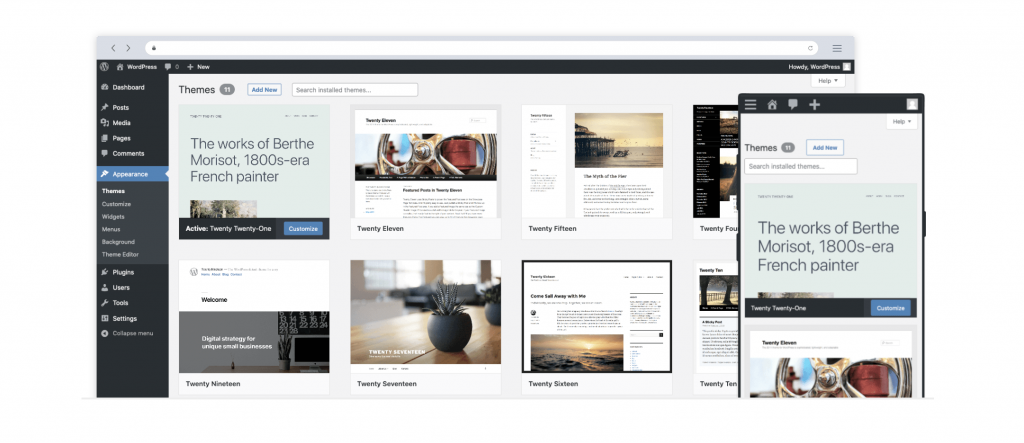
WordPress powers 43% of all websites globally and remains the most popular content management system. The software itself is free, but you must arrange your own hosting.
Why WordPress Stands Out:
Complete ownership — You control your data, hosting, and monetization with no platform restrictions
Massive ecosystem — Tens of thousands of plugins for SEO, security, memberships, e-commerce, and virtually any functionality
Scalability — Can grow from a small blog to a large-scale publication or enterprise site
SEO leadership — Advanced control over URL structure, metadata, schema markup, and crawl behavior
The Reality Check:
Maintenance overhead — You're responsible for core updates, plugin updates, theme updates, security patches, and backups
Performance requires effort — Out-of-the-box WordPress is slow; you need caching plugins, CDN setup, and image optimization
Hidden costs — A production site typically costs $500-3,000+ per year for hosting, premium themes, plugins, and potential developer time
Security concerns — WordPress sites represent the majority of hacked CMS installations; 200-350 new plugin vulnerabilities appear weekly
Learning curve — Understanding themes, plugins, hosting configuration, and the Gutenberg editor takes time
Cost Structure:
WordPress software: Free
Hosting: $3-$50+/month depending on provider and plan
Premium themes: $30-$100 one-time
Premium plugins: $50-$300+/year each
Best For: Bloggers, content publishers, businesses that need maximum control, and anyone willing to handle (or pay for) maintenance
Pro Tip: If you want WordPress flexibility on a tighter budget, Hostinger offers a low-cost hosting route with AI-powered setup tools. Bluehost also provides an accessible alternative interface to WordPress.
2. Wix — Easiest for Beginners
Wix is Yahoo's top pick overall for 2026, earning a score of 4.5/5.

Why Wix Excels:
Remarkably intuitive interface — Drag-and-drop editing with hundreds of templates
Free tier available — You can start at no cost (though you'll have Wix ads and a subdomain)
Wix ADI (Artificial Design Intelligence) — Answers a few questions and generates a first-draft site automatically
Mobile app — Design and blog directly from your phone
Excellent uptime — 99.9% uptime guarantee
Rich features — Numerous widgets, e-commerce capabilities, and digital download selling
Limitations to Consider:
Design flexibility — Highly template-driven; deep structural changes can be restrictive
Site portability — Cannot export your site to another platform; migration requires rebuilding
Moderate SEO control — Less advanced SEO capabilities compared to WordPress or Shopify
Pricing (2026):
Free plan: Wix subdomain, Wix ads, 500 MB storage, 1 GB bandwidth
Paid plans start at approximately $17/month (billed annually) for ad-free experience with custom domain
Higher tiers ($39-$159/month) include marketing suite and advanced e-commerce
Best For: Beginners launching their first website, small businesses wanting a fast setup, and anyone who prioritizes ease of use over maximum control
3. Squarespace — Best for Visual Branding
Squarespace earned a score of 4.0/5 from Yahoo, praised for its beautiful, responsive designs and Fluid Engine editor.

Why Squarespace Shines:
Stunning templates — Curated, design-forward layouts with refined typography
Fluid Engine — Drag-and-drop editor that makes designing intuitive
All-in-one simplicity — Hosting, SSL, and security are included; no plugin management required
Unlimited storage and bandwidth across all plans
Built-in blogging tools — Post scheduling, contributor permissions, in-depth analytics
24/7 customer support — Highly responsive
Site portability — Unlike Wix, you can export your content
Limitations:
Moderate SEO control — Less advanced than WordPress or Shopify
Limited third-party extensions — Everything is built into the platform, which reduces maintenance but can feel restrictive
E-commerce is basic — Advanced selling features require higher-tier plans
Pricing (2026):
Basic: $16/month — Enough for most blogs and brochure-style business sites
Core: $23/month
Plus: $39/month — For serious selling, deeper analytics, automations
Advanced: $99/month — Enterprise e-commerce
All plans include a 14-day free trial.
Best For: Photographers, artists, designers, creative professionals, and small businesses that prioritize visual presentation and simplicity
4. Shopify — Best for Commerce-First Brands
Shopify powers over 5.1% of all websites and is the dominant platform for e-commerce.
Why Shopify Dominates E-Commerce:
Content-to-commerce flow — Blog posts can link seamlessly to product pages, collections, and digital downloads without external integrations
Built-in SEO structure — Customizable URLs, meta tags, clean site architecture, automatic XML sitemaps
Performance built-in — Fast hosting with global CDN; minimal technical maintenance
App ecosystem — Thousands of apps to extend functionality
Reliable hosting — No self-hosting concerns
Limitations:
Monthly fees add up — Base plan plus apps can become expensive
Less backend control — You're working within Shopify's framework
Editorial depth — May not match WordPress for pure content publishing
Pricing:
Basic plan: Approximately $5/month introductory, then regular pricing applies
Higher tiers add more staff accounts, professional reports, and lower transaction fees
Design Flexibility: For bloggers needing more layout control, GemPages extends Shopify's capabilities for custom blog landing pages and content funnels.
Best For: Bloggers building content-driven brands that monetize through products, affiliate marketers, DTC brands, and creators connecting content directly to revenue
5. Webflow — Best for Design Professionals
Webflow powers over 524,000 websites with a user base of 3.5 million designers and teams.

Why Designers Choose Webflow:
CSS-level design control — Flexbox, grid, custom properties, complex animations through a visual interface
Clean code output — Generates semantic HTML and clean CSS that developers respect
Powerful CMS — Handles complex content structures with multi-reference fields, filtered collections, and dynamic pages
AI features (2025-2026) — AI Site Builder generates up to 5 pages from prompts; AI Code Generation creates React components; Claude Connector for conversational site management
Enterprise hosting — Cloudflare infrastructure (330 cities, 125 countries) with automatic SSL and DDoS protection
Critical Considerations:
Steep learning curve — You need to understand CSS concepts; Webflow estimates 20-40 hours to become proficient
Platform stability issues — Community reports Designer crashes, publishing failures, and CMS timeouts
Controversial pricing — ~44% price increase on CMS plans in late 2024
Layered costs — Site plans + workspace plans + per-seat fees + add-ons make total cost unpredictable
No built-in AI agents — AI helps generate content but doesn't include autonomous agents that execute work
Pricing (2026):
Site plans: Basic ($18/mo), CMS ($29/mo), Business ($49/mo), Enterprise (custom)
Workspace plans: Core ($19/seat/month), Agency ($35/seat/month)
E-commerce plans: Standard ($42/mo), Plus ($84/mo)
Add-ons: Localization ($9/mo per locale), Analyze ($9/mo)
Real-world cost example (agency with 10 CMS client sites): $459/month
Best For: Professional designers, agencies, and teams needing pixel-perfect control who have the budget and expertise to navigate the platform's complexity
6. Ghost — Best for Subscription-First Bloggers
Ghost is a modern platform built specifically for content creators focused on membership models.
Key Features:
Native membership system — Built-in subscriptions, paid newsletters, and gated content
Strong SEO foundation — Clean, content-focused architecture
Simple publishing experience — Minimalist editor designed for writers
Hosted or self-hosted options — Flexibility based on your needs
Pricing: Free for self-hosted version; Pro plans start at $15/month.
Best For: Writers, journalists, and creators building subscription-based publications
7. Medium — Best for Distribution Over Ownership
Medium is a publishing platform with a built-in audience, not a traditional website builder.
The Tradeoff:
No design work — Just write; Medium handles hosting, design, and distribution
Partner Program — Earn money based on member reading time
Built-in audience — Content can reach readers beyond your followers through Medium's distribution system
Severe limitations — No custom domain (unless you use a publication), minimal design control, no ownership of your audience
Best For: Writers who want to focus purely on content without technical overhead and are willing to build on someone else's platform
8. Hostinger — Best AI-Powered Budget Option
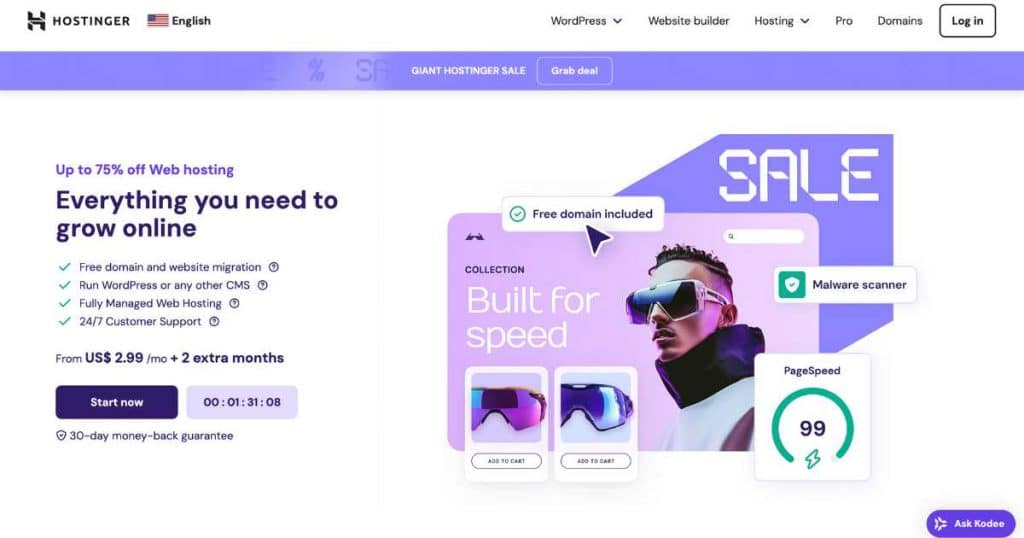
Hostinger's website builder earned a 4.0/5 score, praised for its AI-powered tools and budget-friendly approach.
Key Advantages:
AI suite — Generates site designs, writes website copy, and predicts user navigation based on heatmaps
Logo maker included — Free logo creation tool
Free SSL certificate and photo repository
Unlimited storage and bandwidth across all plans
Comes with Hostinger web hosting — One account covers both
Limitation: No free tier offered.
Best For: Beginners seeking substantial AI guidance and budget-conscious users who want hosting and builder in one package
9. GoDaddy — Best for Integrated Marketing
GoDaddy Websites + Marketing earned a 4.0/5 score, praised for its marketing and SEO tools.
Key Features:
Unlimited storage and bandwidth even on free tier
Strong marketing tools — Built for promoting businesses with mathematical efficiency
More than 100 templates that you can swap with ease
Excellent uptime and customer service
AI tools for faster setup
Free tier available with limitations.
Best For: Small businesses with limited marketing budgets that need integrated promotional tools
10. Duda — Best for Agency Workflows
Duda earned a 4.0/5 score, positioned as a professional platform for agencies.
Key Features:
Flex templates for truly responsive designs across devices
Powerful analytics and AI SEO assistance
Custom CSS and HTML code allowed
Unlimited storage and bandwidth across all plans
White-label options starting at $149/month
No free tier offered; pricing is relatively expensive.
Best For: Web design agencies and enterprises needing client management tools and white-label capabilities
AI-Powered Platforms (New Category)
Taskade Genesis — AI-Native App Builder
Taskade Genesis represents a fundamentally different approach: instead of managing themes, plugins, and hosting, you describe what you want in plain English and Genesis builds a complete, working application.
What Makes It Different:
Not just websites — Builds "living software" with databases, AI agents, and automations
Zero maintenance — No updates, security patches, or server management
Built-in AI agents — 22+ tools with multi-model support (OpenAI, Anthropic, Google)
Automations — Temporal durable execution with branching, looping, filtering, and 100+ integrations
Real-time collaboration — Built-in video calls, multiplayer editing, 7-tier access control
What You Can Build:
Client portals, dashboards, CRM systems, booking systems, internal wikis — all in minutes from prompts
Pricing:
Free: 3 apps, 1 agent, 3,000 AI credits
Starter ($6/month): Unlimited apps, 3 agents, 10 automations
Pro ($16/month): 10 users, unlimited agents, live web hosting
Business ($40/month): Unlimited users, custom domains, white-label
Best For: Businesses needing intelligent applications (not just static pages) with databases, automations, and AI agents — without the complexity of WordPress or the limitations of traditional builders
Decision Framework: How to Choose
Step 1: Define Your Primary Goal
| If You Want... | Choose... |
| Maximum control and SEO flexibility | WordPress.org |
| Fastest possible launch with no learning curve | Wix |
| Beautiful design without hiring a designer | Squarespace |
| Blog + e-commerce in one platform | Shopify |
| Pixel-perfect design control | Webflow |
| Subscription/membership business | Ghost |
| Pure writing with built-in audience | Medium |
| Apps with AI agents and automations | Taskade Genesis |
| Agency/client management tools | Duda |
| Marketing-focused site | GoDaddy |
Step 2: Assess Your Technical Comfort
No technical skills, want it done in an afternoon → Wix or Squarespace
Willing to learn some concepts, want good design → Squarespace or Webflow
Ready to manage hosting and updates → WordPress.org
Want AI to do the heavy lifting → Hostinger or Taskade Genesis
Step 3: Consider Long-Term Costs
| Platform | Entry Cost | Long-Term Cost Considerations |
| WordPress.org | $3-10/month hosting | Premium themes/plugins add cost; developer time if needed |
| Wix | Free tier; $17/month paid | Cannot migrate; rebuilding costs if you outgrow |
| Squarespace | $16/month | Predictable subscription; limited extensions |
| Shopify | $5/month intro | App fees add up; transaction fees |
| Webflow | $18-49/month | Complex pricing; add-ons multiply cost |
Step 4: Evaluate Platform Lock-In
Portability matters → WordPress.org (you own everything) or Squarespace (export available)
Lock-in acceptable → Wix (cannot export; rebuilding required)
Hybrid approach → Shopify (can export products, but platform-dependent)
Market Trends to Watch (2026)
AI Integration — 54% of website builder platforms introduced between 2023-2025 include AI-driven design engines; 61% added built-in SEO tools
Mobile-First Development — 68% of websites launched in 2024 were optimized primarily for mobile devices; 59% of global web traffic originates from mobile
E-commerce Growth — 19% of online stores globally operate through simplified website builders
Business Websites Dominate — Business websites account for 42% of builder platform usage, followed by personal websites at 24%
Market Concentration — The top four website builder providers control 76% of the ecosystem
Final Recommendation
If you need one simple answer: For most people starting a blog or small business website in 2026, WordPress.org with Bluehost or Hostinger offers the best balance of control, scalability, and cost-effectiveness. However, "best" truly depends on your specific needs:
Easiest start: Wix
Best design: Squarespace
Best for e-commerce: Shopify
Best for control: WordPress.org
Best for design professionals: Webflow
Best for AI-powered apps: Taskade Genesis
The platform you choose today will shape your website's capabilities for years to come. Choose based on your goals, technical comfort, and willingness to handle maintenance — not just what looks easiest at first glance
FAQ's?
Who should use Digital Tools
Which Platform is Best for Website Creation? (2026) is built for readers who want a faster way to finish everyday web tasks. The main goal is shorter workflows, clearer outputs, and reusable tool habits, so the guide focuses on practical choices instead of broad theory.
Use it when you need one of these outcomes:
- testing a task before choosing a heavier app
- saving time on a repeated browser workflow
- combining a guide with a related AltFTool utility
How to get a better result
- Read the core use case and decide what output you need.
- Open the related AltFTool utility and test it with a small sample.
- Review the result, adjust settings, and repeat only if needed.
- Continue with related tools or guides for the next step in the workflow.
Start small, check the first output, and only then repeat the workflow with the full file, text, media, or game session. That gives you a quick quality check before you spend more time.
Quality checks before you trust the output
- the input is clean before running the tool
- the output matches the format you need
- private details are removed before sharing or downloading
Do not overcomplicate a simple task. Start with the smallest sample that proves the workflow, then scale up once the output looks right.
Continue your workflow
If you want to try the workflow now, open the related AltFTool tool area. For more reading, continue through the Digital Tools archive or the AltFTool tools directory.
This creates a cleaner path from explanation to action: read the guide, test the tool, compare the output, and move into the next related AltFTool resource only when it helps the task.
Reader questions
Quick answers
What is Which Platform is Best for Website Creation? (2026) about?
The question of the "best" website creation platform has no single answer—it depends entirely on your technical skills, budget, goals, and long-term vision.
When should I use Digital Tools?
Use Digital Tools when you need testing a task before choosing a heavier app or saving time on a repeated browser workflow. It is best for shorter workflows, clearer outputs, and reusable tool habits.
How do I get better results from Digital Tools?
Start with a small sample, then check that the input is clean before running the tool and the output matches the format you need. Review the output before using it in a final workflow.
Where can I find more Digital Tools guides?
Use the AltFTool blog archive, AltFTool tools directory, and related links on this page to explore more Digital Tools tutorials, tool workflows, and practical recommendations.
Sources and review notes
References used to check facts, freshness, and reader-safe recommendations in this guide.
Reviewed against AltFTool editorial guidance, related site archives, and linked tool pages for freshness and reader usefulness.
- 1AltFTool Digital Tools archive
AltFTool
- 2AltFTool tools directory
AltFTool
Discussion
0 comments
No comments yet
Discussion will appear here once it loads.