
With the rapid evolution of digital media, graphic design has never been more dynamic. As we step into 2026, designers need more than just creativity—they need tools that can keep up with innovation, streamline workflows, and help them produce high-quality visuals quickly. After extensive research and hands-on testing of over 20 graphic design tools, we’ve compiled the top picks that every designer should consider this year.
Whether you are a beginner exploring graphic design or a professional looking for advanced capabilities, these tools will help you create stunning visuals, work more efficiently, and stay ahead of trends. Having the right setup is equally important, including Affordable Devices that can handle design software smoothly and reliable Internet Plans that allow designers to collaborate online, download assets, and work with cloud-based design tools without interruptions.
How We Tested Graphic Design Tools
We took a comprehensive approach to testing and reviewing the most popular design software and platforms:
- 20+ tools tested – from all-in-one platforms to professional software.
- 6 key evaluation areas – including usability, features, pricing, AI integration, and collaboration.
- 250+ hours of hands-on testing – our in-house experts worked with each tool to evaluate its performance.
- Independent recommendations – all reviews are unbiased and based on real-world usage.
Key Takeaways
- Adobe Creative Cloud remains the gold standard for professional designers, offering powerful tools for everything from photo editing to illustration and UI/UX design.
- Canva is ideal for beginners and content creators who want fast, professional-looking visuals without a steep learning curve.
- Figma is the best choice for collaborative UI/UX design, offering real-time editing and cloud-based workflows.
- Procreate and Clip Studio Paint are essential for illustrators and digital artists looking for advanced drawing tools.
- AI-powered tools like Adobe Firefly and MidJourney are changing the way designers generate ideas, automate tasks, and produce graphics.
1. Adobe Creative Cloud: Best All-in-One Professional Suite

Starting price: $20.99/month for Photoshop or $54.99/month for full suite
AI features: Yes (Adobe Firefly)
Adobe Creative Cloud remains the top choice for professional designers in 2026. With a comprehensive suite of tools, including Photoshop, Illustrator, After Effects, and InDesign, it covers everything from image editing to vector design, video, and UI/UX workflows.
✔️ Pros
- Industry-standard tools for professionals
- Extensive AI-powered features with Adobe Firefly
- Large ecosystem of tutorials, plugins, and templates
❌ Cons
- Expensive for beginners
- Steep learning curve
- Can be resource-heavy for older computers
Why Use Adobe in 2026?
Adobe’s AI tools, like Firefly, allow designers to quickly generate content ideas, automate repetitive edits, and improve workflow efficiency. It’s ideal for designers who require precision, advanced capabilities, and professional-grade output.
2. Canva: Best for Beginners and Fast Visuals
Starting price: Free (Pro plan at $12.99/month)
AI features: Yes (Magic Design, Text-to-Image)
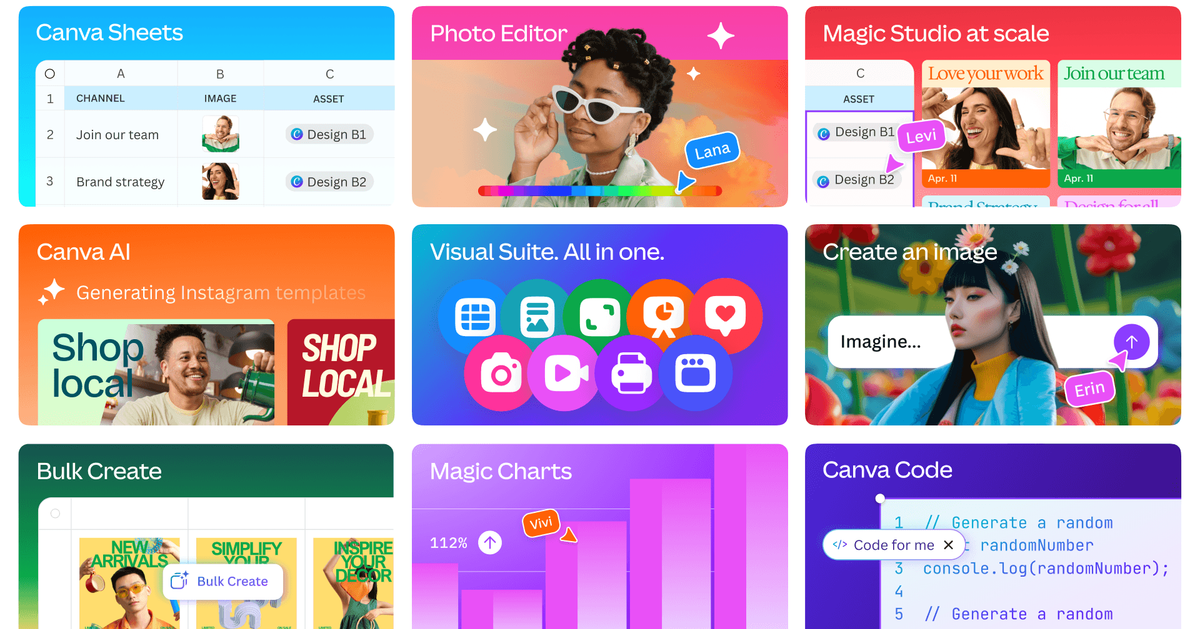
Canva continues to dominate for its simplicity and efficiency. Beginners and marketers love Canva for its drag-and-drop editor, thousands of templates, and AI-powered tools that speed up design creation.
✔️ Pros
- Extremely user-friendly
- Extensive template library for social media, presentations, and more
- AI-assisted design suggestions and text-to-image generation
❌ Cons
- Limited control over fine design details
- Not ideal for professional print designs
Why Use Canva in 2026?
For small businesses, social media managers, and beginners, Canva’s AI-powered tools save time and make design accessible. Features like Magic Resize, Brand Kits, and Smartmockups make it easy to create consistent, professional graphics quickly.
3. Figma: Best for Collaborative UI/UX Design
Starting price: Free (Professional plan at $12/month per editor)
AI features: Limited (third-party AI plugins)
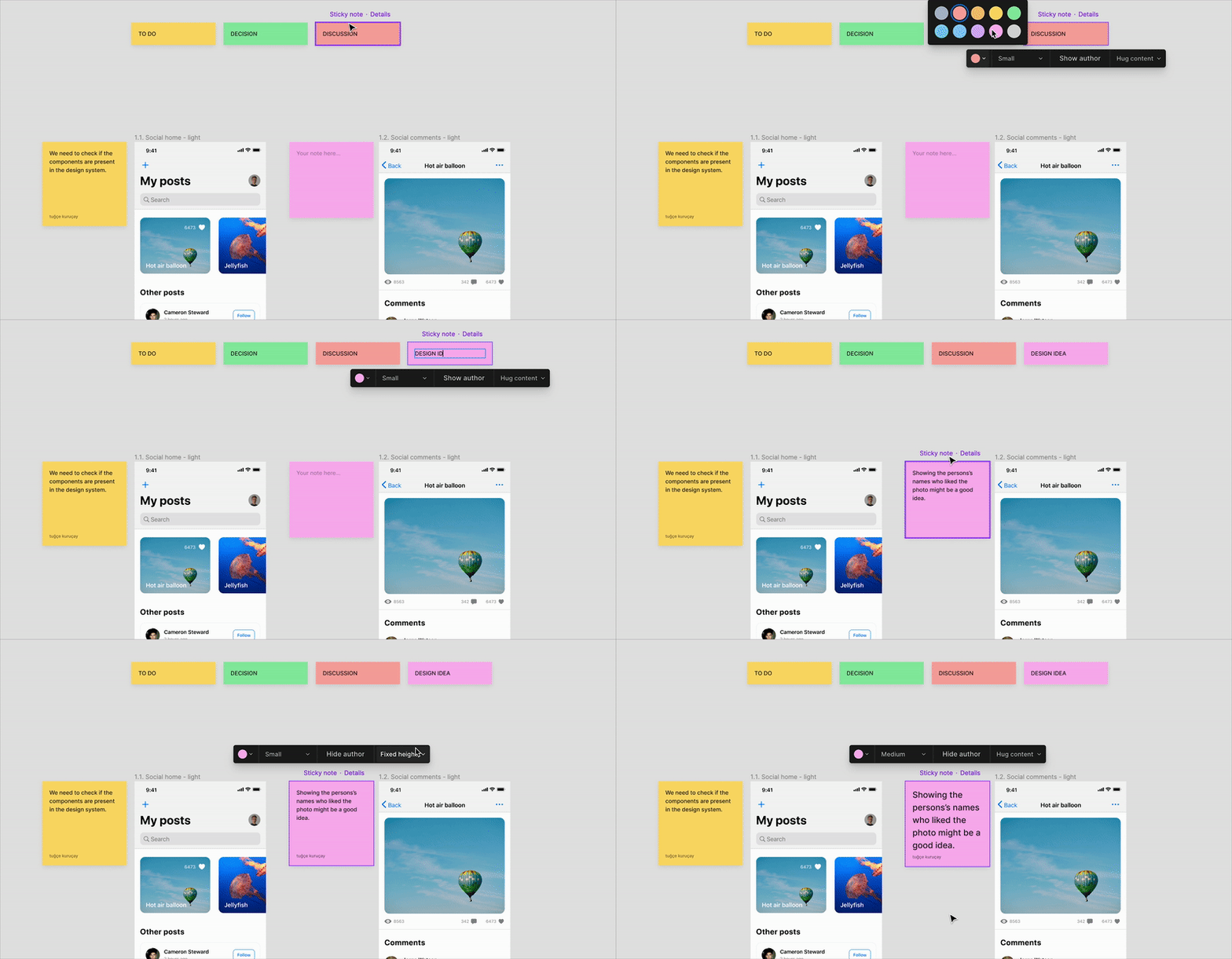
Figma is the go-to tool for UI/UX designers and teams working on digital products. Its cloud-based platform allows multiple designers to collaborate in real-time, making feedback and iteration seamless.
✔️ Pros
- Real-time collaboration across teams
- Responsive design features for web and mobile
- Extensive plugin ecosystem
❌ Cons
- Requires internet connection
- Advanced features may require paid plan
Why Use Figma in 2026?
As more design teams go remote, Figma’s collaborative features are critical. Designers can work together on wireframes, prototypes, and user flows simultaneously, reducing delays and improving design accuracy.
4. Procreate & Clip Studio Paint: Best for Illustrators
Starting price: Procreate – $12.99 one-time; Clip Studio Paint – $49.99 one-time
AI features: Minimal (clip studio AI for coloring suggestions)
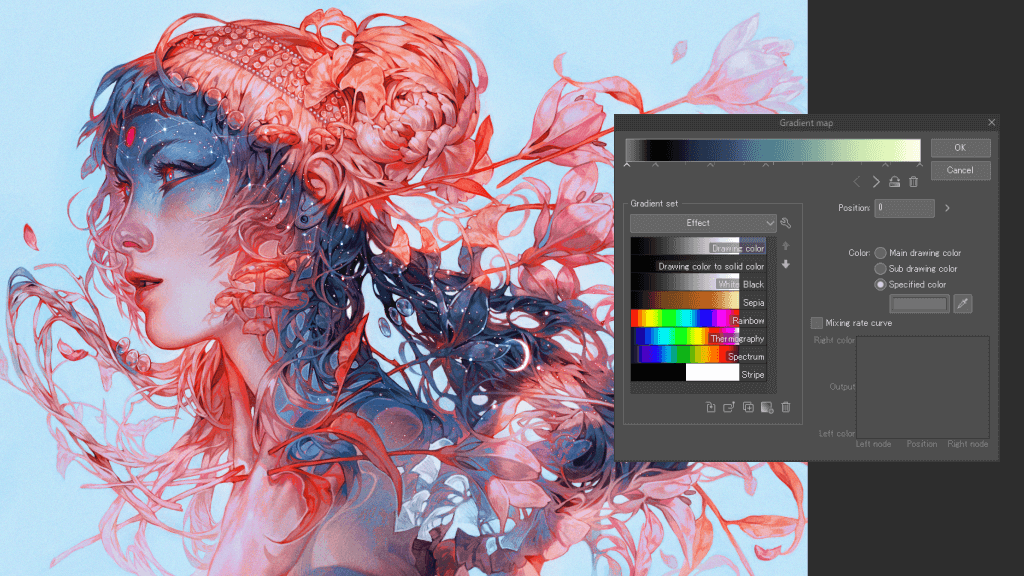
For illustrators and digital artists, Procreate and Clip Studio Paint are unmatched. They offer advanced brush engines, pressure-sensitive controls, and a natural drawing experience on tablets.
✔️ Pros
- High customization for brushes and effects
- Realistic drawing and painting experience
- Affordable compared to professional suites
❌ Cons
- Limited vector editing capabilities
- Requires tablet hardware for full experience
Why Use Procreate/Clip Studio in 2026?
These tools empower artists to create intricate illustrations, concept art, and comics efficiently. Combined with AI-powered plugins, they can speed up repetitive coloring and design tasks without compromising creativity.
5. AI-Powered Tools: Adobe Firefly, MidJourney, and DALL·E
Starting price: Free trials available; subscription varies
AI features: Extensive
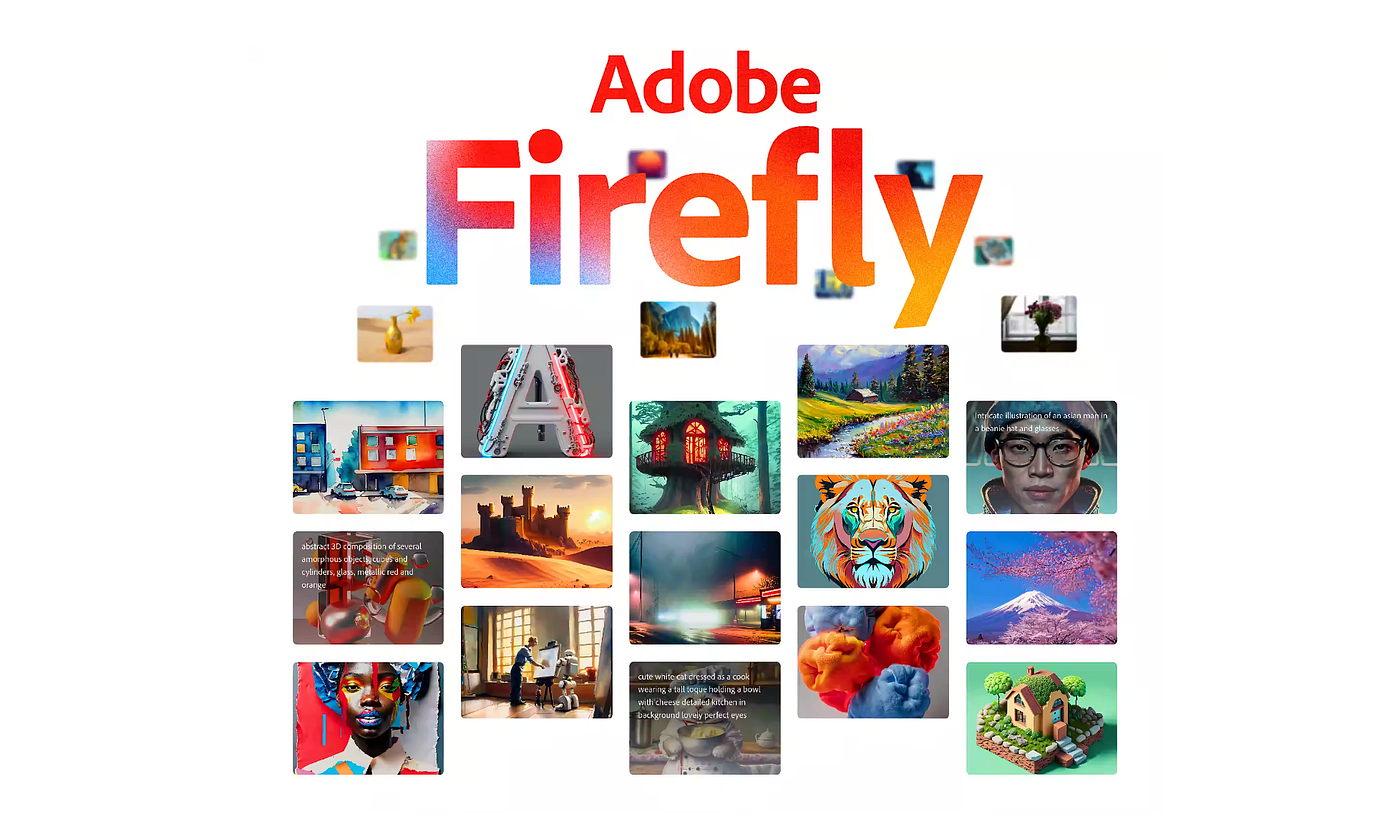
AI-driven design tools are transforming how designers ideate and create. From generating mockups and illustrations to automating repetitive edits, AI tools are becoming essential in the modern designer’s toolkit.
✔️ Pros
- Generate creative ideas in seconds
- Automate tasks like background removal, text generation, and image enhancement
- Great for brainstorming and rapid prototyping
❌ Cons
- May lack precise control compared to manual design
- Ethical and copyright considerations
Why Use AI in 2026?
With the rise of generative AI, designers can now experiment faster, create unique visuals, and focus on strategy rather than tedious work. AI tools complement human creativity, enabling more productivity and innovation.
How to Choose the Right Design Tool
Selecting the best tool depends on your skill level, goals, and the type of work you do. Here are the key factors to consider:
- Skill Level – Beginners may prefer Canva or Figma, while professionals may opt for Adobe Creative Cloud.
- Project Type – Choose Procreate for illustration, Figma for UI/UX, or Adobe for full-scale professional projects.
- Collaboration Needs – Cloud-based tools like Figma make teamwork seamless.
- AI Integration – Tools with AI can save time and boost creativity.
- Budget – Consider free, one-time purchase, or subscription-based models based on your financial capacity.
Trends in Graphic Design Tools for 2026
- AI-powered features – Automating repetitive tasks and generating creative suggestions.
- Cloud collaboration – Remote teams can edit and give feedback in real-time.
- Cross-platform design – Mobile and web compatibility is essential for modern workflows.
- Template-driven productivity – Designers can work faster with customizable templates.
- Sustainability and efficiency – Tools that reduce resource-heavy workflows are gaining tracti
Whether you’re a beginner looking for Canva, a professional using Adobe, a UI/UX designer relying on Figma, or an illustrator using Procreate, the tools you pick will define the quality of your work and the speed of your workflow.
Experiment with free trials, explore AI-powered features, and combine multiple tools for the best results. By staying updated with the latest design tools, you can enhance your skills, streamline your workflow, and create visuals that truly stand out in 2026.
FAQs
Q1. Can beginners use professional tools like Adobe Creative Cloud?
Yes, but there’s a steep learning curve. Beginners may benefit from starting with Canva or Figma before advancing.
Q2. Which tool is best for UI/UX collaboration?
Figma is the top choice for real-time teamwork and cloud-based design workflows.
Q3. Are AI tools safe to use for commercial projects?
Most AI tools allow commercial use, but always check licensing and copyright policies.
Q4. Which tool is best for illustrators?
Procreate and Clip Studio Paint are ideal for digital painting, comics, and illustration.
Q5. How do I choose the right design tool?
Consider your skill level, budget, project type, and collaboration needs. Experiment with free trials before committing.
Who should use Digital Tools
Top Graphic Design Tools Every Designer Should Use in 2026 is built for readers who want a faster way to finish everyday web tasks. The main goal is shorter workflows, clearer outputs, and reusable tool habits, so the guide focuses on practical choices instead of broad theory.
Use it when you need one of these outcomes:
- testing a task before choosing a heavier app
- saving time on a repeated browser workflow
- combining a guide with a related AltFTool utility
How to get a better result
- Read the core use case and decide what output you need.
- Open the related AltFTool utility and test it with a small sample.
- Review the result, adjust settings, and repeat only if needed.
- Continue with related tools or guides for the next step in the workflow.
Start small, check the first output, and only then repeat the workflow with the full file, text, media, or game session. That gives you a quick quality check before you spend more time.
Quality checks before you trust the output
- the input is clean before running the tool
- the output matches the format you need
- private details are removed before sharing or downloading
Do not overcomplicate a simple task. Start with the smallest sample that proves the workflow, then scale up once the output looks right.
Continue your workflow
If you want to try the workflow now, open the related AltFTool tool area. For more reading, continue through the Digital Tools archive or the AltFTool tools directory.
This creates a cleaner path from explanation to action: read the guide, test the tool, compare the output, and move into the next related AltFTool resource only when it helps the task.
Reader questions
Quick answers
What is Top Graphic Design Tools Every Designer Should Use in 2026 about?
With the rapid evolution of digital media, graphic design has never been more dynamic. As we step into 2026, designers need more than just creativity—they need
When should I use Digital Tools?
Use Digital Tools when you need testing a task before choosing a heavier app or saving time on a repeated browser workflow. It is best for shorter workflows, clearer outputs, and reusable tool habits.
How do I get better results from Digital Tools?
Start with a small sample, then check that the input is clean before running the tool and the output matches the format you need. Review the output before using it in a final workflow.
Where can I find more Digital Tools guides?
Use the AltFTool blog archive, AltFTool tools directory, and related links on this page to explore more Digital Tools tutorials, tool workflows, and practical recommendations.
Sources and review notes
References used to check facts, freshness, and reader-safe recommendations in this guide.
Reviewed against AltFTool editorial guidance, related site archives, and linked tool pages for freshness and reader usefulness.
- 1AltFTool Digital Tools archive
AltFTool
- 2AltFTool tools directory
AltFTool
Discussion
0 comments
No comments yet
Discussion will appear here once it loads.