
In 2026, content creation is no longer just about creativity—it’s about strategy, speed, and smart tools. Whether you're a blogger, YouTuber, social media influencer, or digital marketer, the tools you use can directly impact your growth, engagement, and revenue. With search engines becoming more intelligent and audiences demanding high-quality, fast-paced content, creators need tools that not only enhance creativity but also optimize for SEO and marketing performance.
This guide explores the top creative tools every content creator needs in 2026, with a strong focus on SEO, audience engagement, and monetization.
Why Creative Tools Matter More Than Ever in 2026
The digital landscape has evolved significantly. Platforms like Instagram, YouTube, and TikTok now prioritize high-quality, engaging, and consistent content. Meanwhile, search engines like Google are focusing on user intent, helpful content, and experience signals.
This means creators must:
- Produce content faster without compromising quality
- Optimize content for SEO and discoverability
- Repurpose content across multiple platforms
- Analyze performance and improve continuously
Creative tools bridge the gap between ideas and execution, helping creators stay competitive.
1. AI Writing Tools for SEO Content Creation

AI-powered writing tools have transformed how content is created. Platforms like ChatGPT and Jasper AI help generate blog posts, scripts, captions, and even ad copy in minutes.
Key Features:
- SEO-optimized content suggestions
- Keyword integration and readability improvements
- Content ideation and outlines
- Tone and style customization
Marketing & SEO Benefits:
AI writing tools help you scale content production while maintaining quality. They also assist in targeting long-tail keywords, improving your chances of ranking higher on search engines.
Pro Tip: Combine AI tools with human editing to maintain authenticity and align with Google's helpful content guidelines.
2. Graphic Design Tools for Visual Branding

Visual content is essential for grabbing attention. Tools like Canva and Adobe Photoshop allow creators to design stunning visuals without needing advanced design skills.
Key Features:
- Ready-made templates for social media and blogs
- Drag-and-drop interface
- Brand kits for consistency
- AI-powered image editing
Marketing & SEO Benefits:
Strong visuals increase click-through rates (CTR) and engagement. Eye-catching thumbnails, blog banners, and social media graphics can significantly boost traffic and conversions.
3. Video Editing Tools for High-Engagement Content
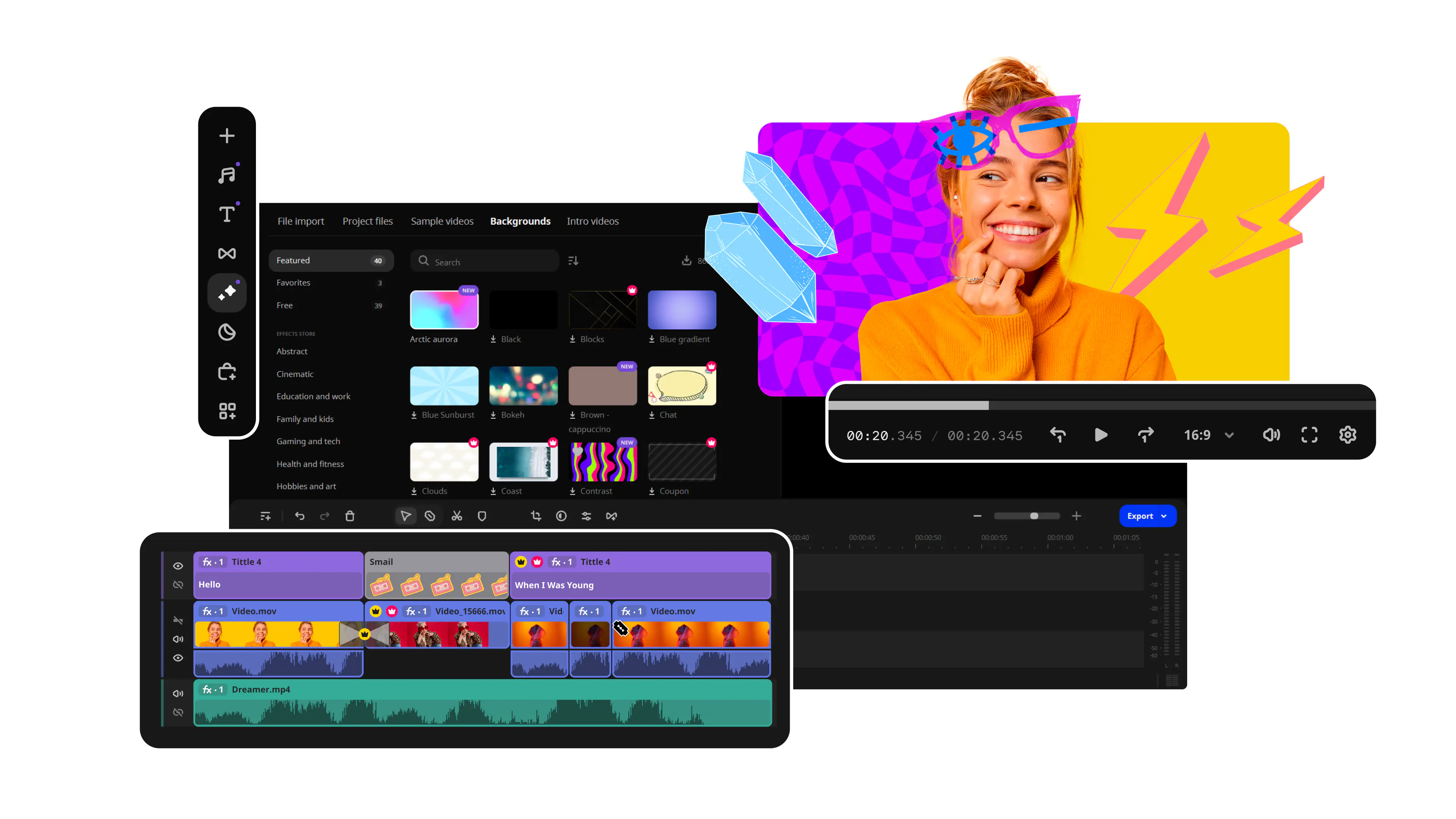
Video continues to dominate content consumption. Platforms like Adobe Premiere Pro, Final Cut Pro, and CapCut are essential for creating professional videos.
Key Features:
- Advanced editing timelines
- Effects, transitions, and color grading
- AI auto-captioning and subtitles
- Export optimization for different platforms
Marketing & SEO Benefits:
Videos improve dwell time, which is a key SEO ranking factor. Platforms like YouTube also function as search engines, so optimized video content can drive massive organic traffic.
4. SEO Tools for Keyword Research and Optimization
Creating content without SEO is like publishing in the dark. Tools like Ahrefs, SEMrush, and Ubersuggest help you find the right keywords and optimize your content.
Key Features:
- Keyword research and difficulty analysis
- Competitor analysis
- Backlink tracking
- Content gap analysis
Marketing & SEO Benefits:
These tools help you target high-ranking keywords, understand your competitors, and build a strategy that drives organic traffic consistently.
5. Social Media Management Tools for Growth
Managing multiple platforms can be overwhelming. Tools like Hootsuite and Buffer simplify scheduling, publishing, and analytics.
Key Features:
- Content scheduling and automation
- Multi-platform posting
- Engagement tracking
- Performance analytics
Marketing & SEO Benefits:
Consistency is key in social media marketing. These tools help maintain a regular posting schedule, improving visibility and audience growth.
6. Content Planning and Collaboration Tools

Content creation requires planning and organization. Tools like Notion and Trello help streamline workflows.
Key Features:
- Content calendars
- Task management
- Collaboration features
- Workflow automation
Marketing & SEO Benefits:
A structured workflow ensures consistent publishing, which is crucial for SEO and audience retention.
7. Analytics Tools for Data-Driven Decisions
Understanding your audience is essential. Tools like Google Analytics and Google Search Console provide valuable insights.
Key Features:
- Traffic analysis
- User behavior tracking
- Keyword performance
- Technical SEO insights
Marketing & SEO Benefits:
Analytics tools help you identify what works and what doesn’t, allowing you to optimize your strategy for better results.
8. Email Marketing Tools for Audience Retention
Email remains one of the most effective marketing channels. Tools like Mailchimp and ConvertKit help build and nurture your audience.
Key Features:
- Email automation
- Subscriber segmentation
- Campaign analytics
- Landing page creation
Marketing & SEO Benefits:
Email marketing drives repeat traffic to your content, boosting engagement and conversions.
9. Audio and Podcasting Tools
Podcasting continues to grow in popularity. Tools like Audacity and Adobe Audition help create high-quality audio content.
Key Features:
- Noise reduction
- Multi-track editing
- Audio effects
- Export optimization
Marketing & SEO Benefits:
Audio content expands your reach and allows you to repurpose blog content into podcasts, increasing visibility.
10. AI-Powered Content Repurposing Tools

Repurposing content is a powerful strategy in 2026. AI tools help turn blogs into videos, social posts, and podcasts.
Key Features:
- Automated content conversion
- Multi-platform optimization
- Caption and subtitle generation
- Content summarization
Marketing & SEO Benefits:
Repurposing maximizes your content’s reach and ensures you get the most value from each piece of content.
How to Choose the Right Creative Tools
Not every tool is right for every creator. Consider:
- Your content type (blog, video, social media)
- Your budget
- Ease of use
- Integration with other tools
Start with a few essential tools and expand as your content strategy grows.
SEO Strategy Tips for Content Creators in 2026
To truly succeed, tools must be combined with strategy:
Focus on Search Intent
Understand what your audience is searching for and create content that answers their questions.
Optimize for Featured Snippets
Use clear headings, bullet points, and concise answers.
Leverage Long-Tail Keywords
Target specific phrases to rank faster and attract niche audiences.
Improve User Experience
Fast-loading pages, mobile optimization, and engaging content are crucial.
Build Authority
Publish consistently and create high-quality, informative content.
Future Trends in Creative Tools
The future of content creation is driven by:
- AI automation and personalization
- Voice and visual search optimization
- Interactive and immersive content
- Real-time analytics and insights
Creators who adapt to these trends will stay ahead of the competition.
FAQs
1. What are the most important tools for content creators in 2026?
AI writing tools, SEO platforms, video editing software, and social media management tools are essential for success.
2. Are free tools enough for beginners?
Yes, many free tools offer powerful features. However, premium tools provide advanced capabilities for scaling your content.
3. How do creative tools help with SEO?
They assist in keyword research, content optimization, analytics, and improving user engagement—all of which impact SEO rankings.
4. Can AI tools replace human creativity?
No, AI enhances productivity but human creativity is still essential for authenticity and originality.
5. How often should I update my tools?
Regularly evaluate your tools and update them based on your needs and industry trends.
Who should use Digital Tools
Top Creative Tools Every Content Creator Needs in 2026 is built for readers who want a faster way to finish everyday web tasks. The main goal is shorter workflows, clearer outputs, and reusable tool habits, so the guide focuses on practical choices instead of broad theory.
Use it when you need one of these outcomes:
- testing a task before choosing a heavier app
- saving time on a repeated browser workflow
- combining a guide with a related AltFTool utility
How to get a better result
- Read the core use case and decide what output you need.
- Open the related AltFTool utility and test it with a small sample.
- Review the result, adjust settings, and repeat only if needed.
- Continue with related tools or guides for the next step in the workflow.
Start small, check the first output, and only then repeat the workflow with the full file, text, media, or game session. That gives you a quick quality check before you spend more time.
Quality checks before you trust the output
- the input is clean before running the tool
- the output matches the format you need
- private details are removed before sharing or downloading
Do not overcomplicate a simple task. Start with the smallest sample that proves the workflow, then scale up once the output looks right.
Continue your workflow
If you want to try the workflow now, open the related AltFTool tool area. For more reading, continue through the Digital Tools archive or the AltFTool tools directory.
This creates a cleaner path from explanation to action: read the guide, test the tool, compare the output, and move into the next related AltFTool resource only when it helps the task.
Reader questions
Quick answers
What is Top Creative Tools Every Content Creator Needs in 2026 about?
In 2026, content creation is no longer just about creativity—it’s about strategy, speed, and smart tools. Whether you're a blogger, YouTuber, social media influ
When should I use Digital Tools?
Use Digital Tools when you need testing a task before choosing a heavier app or saving time on a repeated browser workflow. It is best for shorter workflows, clearer outputs, and reusable tool habits.
How do I get better results from Digital Tools?
Start with a small sample, then check that the input is clean before running the tool and the output matches the format you need. Review the output before using it in a final workflow.
Where can I find more Digital Tools guides?
Use the AltFTool blog archive, AltFTool tools directory, and related links on this page to explore more Digital Tools tutorials, tool workflows, and practical recommendations.
Sources and review notes
References used to check facts, freshness, and reader-safe recommendations in this guide.
Reviewed against AltFTool editorial guidance, related site archives, and linked tool pages for freshness and reader usefulness.
- 1AltFTool Digital Tools archive
AltFTool
- 2AltFTool tools directory
AltFTool
Discussion
0 comments
No comments yet
Discussion will appear here once it loads.