
In today’s fast-paced digital world, your mobile phone is more than just a device—it’s your connection to work, entertainment, family, and everyday life. Despite this heavy reliance, many people are still overpaying for mobile plans that don’t match how they actually use their phones. This often leads to unnecessary monthly expenses that quietly add up over time.
If your phone bill feels higher than it should be, it might be time to rethink your current plan. Providers like EE now offer flexible and affordable options designed to suit different usage patterns. By switching to a plan that aligns with your needs, you can enjoy the same connectivity while saving money.
Why You Might Be Overpaying
One of the most common reasons people overpay is simply habit. Once a mobile plan is set up, it often continues for years without being reviewed. However, your usage evolves. You may now rely more on Wi-Fi, use fewer calls, or prefer messaging apps over traditional SMS.
Despite these changes, many users remain on plans that include features they no longer need. Paying for unlimited data when you only use a small portion of it is a typical example. Over time, this mismatch between usage and plan leads to avoidable costs that could easily be reduced.
Understanding Different Types of Mobile Plans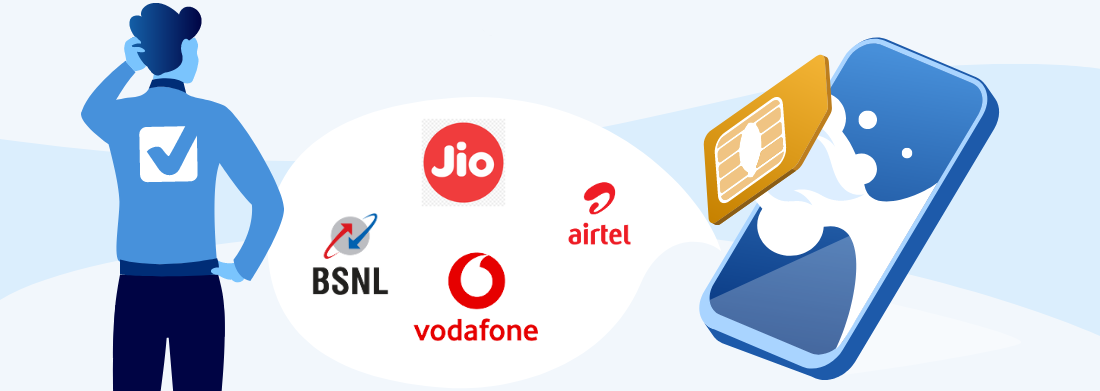
Before making the switch, it’s important to understand the different types of plans available so you can choose the one that fits your lifestyle best.
Pay monthly plans are widely used because they offer a predictable monthly bill along with a bundle of services. These usually include calls, texts, and a fixed data allowance, along with access to fast 4G and 5G networks. They are ideal for users who prefer stability and a straightforward billing structure.
SIM-only plans have become increasingly popular among users who already own a smartphone. Since these plans don’t include the cost of a device, they are generally much cheaper while still offering the same network quality. This makes them a smart option for those looking to reduce expenses without sacrificing performance.
Pay-as-you-go plans provide the highest level of flexibility. Instead of committing to a contract, you simply pay for what you use. This approach is especially useful for light users or those who want complete control over their spending without any long-term obligations.
Benefits of Switching to a Cheaper Plan
How to Choose the Right Plan
Common Mistakes to Avoid
While switching plans is generally straightforward, there are a few common mistakes that can lead to unnecessary complications.
Many users choose unlimited data without actually needing it, which increases their monthly costs without adding real value. Others overlook contract terms and end up paying early exit fees. It’s also important to check network coverage in your area to ensure a smooth experience after switching.
A few simple checks can make a big difference:
- Review your actual usage before selecting a plan
- Compare features, not just pricing
- Avoid paying for extras you won’t use
Is It Easy to Switch?
Switching to a new mobile plan has become much easier in recent years. Most providers allow you to keep your existing phone number, making the transition seamless. The entire process can often be completed online, saving time and effort.
With improved systems and customer-friendly policies, switching no longer feels like a complicated task. This convenience makes it easier than ever to move to a plan that better suits your needs.
FAQs
Who should use Technology & Gadgets
Switch to a Cheaper Mobile Plan and Save More Today is built for readers who want a faster way to finish everyday web tasks. The main goal is shorter workflows, clearer outputs, and reusable tool habits, so the guide focuses on practical choices instead of broad theory.
Use it when you need one of these outcomes:
- testing a task before choosing a heavier app
- saving time on a repeated browser workflow
- combining a guide with a related AltFTool utility
How to get a better result
- Read the core use case and decide what output you need.
- Open the related AltFTool utility and test it with a small sample.
- Review the result, adjust settings, and repeat only if needed.
- Continue with related tools or guides for the next step in the workflow.
Start small, check the first output, and only then repeat the workflow with the full file, text, media, or game session. That gives you a quick quality check before you spend more time.
Quality checks before you trust the output
- the input is clean before running the tool
- the output matches the format you need
- private details are removed before sharing or downloading
Do not overcomplicate a simple task. Start with the smallest sample that proves the workflow, then scale up once the output looks right.
Continue your workflow
If you want to try the workflow now, open the related AltFTool tool area. For more reading, continue through the Technology & Gadgets archive or the AltFTool tools directory.
This creates a cleaner path from explanation to action: read the guide, test the tool, compare the output, and move into the next related AltFTool resource only when it helps the task.
Reader questions
Quick answers
What is Switch to a Cheaper Mobile Plan and Save More Today about?
In today’s fast-paced digital world, your mobile phone is more than just a device—it’s your connection to work, entertainment, family, and everyday life. Despit
When should I use Technology & Gadgets?
Use Technology & Gadgets when you need testing a task before choosing a heavier app or saving time on a repeated browser workflow. It is best for shorter workflows, clearer outputs, and reusable tool habits.
How do I get better results from Technology & Gadgets?
Start with a small sample, then check that the input is clean before running the tool and the output matches the format you need. Review the output before using it in a final workflow.
Where can I find more Technology & Gadgets guides?
Use the AltFTool blog archive, AltFTool tools directory, and related links on this page to explore more Technology & Gadgets tutorials, tool workflows, and practical recommendations.
Sources and review notes
References used to check facts, freshness, and reader-safe recommendations in this guide.
Reviewed against AltFTool editorial guidance, related site archives, and linked tool pages for freshness and reader usefulness.
- 1
- 2AltFTool tools directory
AltFTool
Discussion
0 comments
No comments yet
Discussion will appear here once it loads.