
In today’s fast-changing digital world, building a successful career or becoming a freelancer requires more than just a degree. Companies and clients now look for practical skills, real-world experience, and the ability to adapt quickly. The good news is that with the right courses, anyone can upgrade their skills, increase their earning potential, and create new opportunities in both jobs and freelancing.
Whether you are a student, working professional, or someone planning to start freelancing, learning high-demand skills can give you a strong advantage.
Why Courses Matter for Career Growth

Online courses have made learning more accessible and flexible than ever before. You can learn at your own pace, choose from a variety of topics, and gain industry-relevant skills without spending a lot of money.
These courses not only improve your knowledge but also help you build a portfolio, which is very important for freelancing. Clients often prefer to see your work rather than just your qualifications.
Digital Marketing Courses
Digital marketing is one of the most in-demand skills today. Businesses of all sizes need help promoting their products and services online. By learning digital marketing, you can work with companies or start freelancing as a marketer.
This field includes skills like social media marketing, search engine optimization (SEO), content marketing, and email marketing. With the right training, you can manage campaigns, grow online presence, and generate leads for clients.
Graphic Designing Courses
Graphic design is perfect for creative individuals who enjoy working with visuals. From logos and social media posts to advertisements and branding, designers are always in demand.
Learning tools like Photoshop, Illustrator, and Canva can help you start your journey. Once you build a portfolio, you can easily find freelance projects or even work with agencies.
Web Development Courses
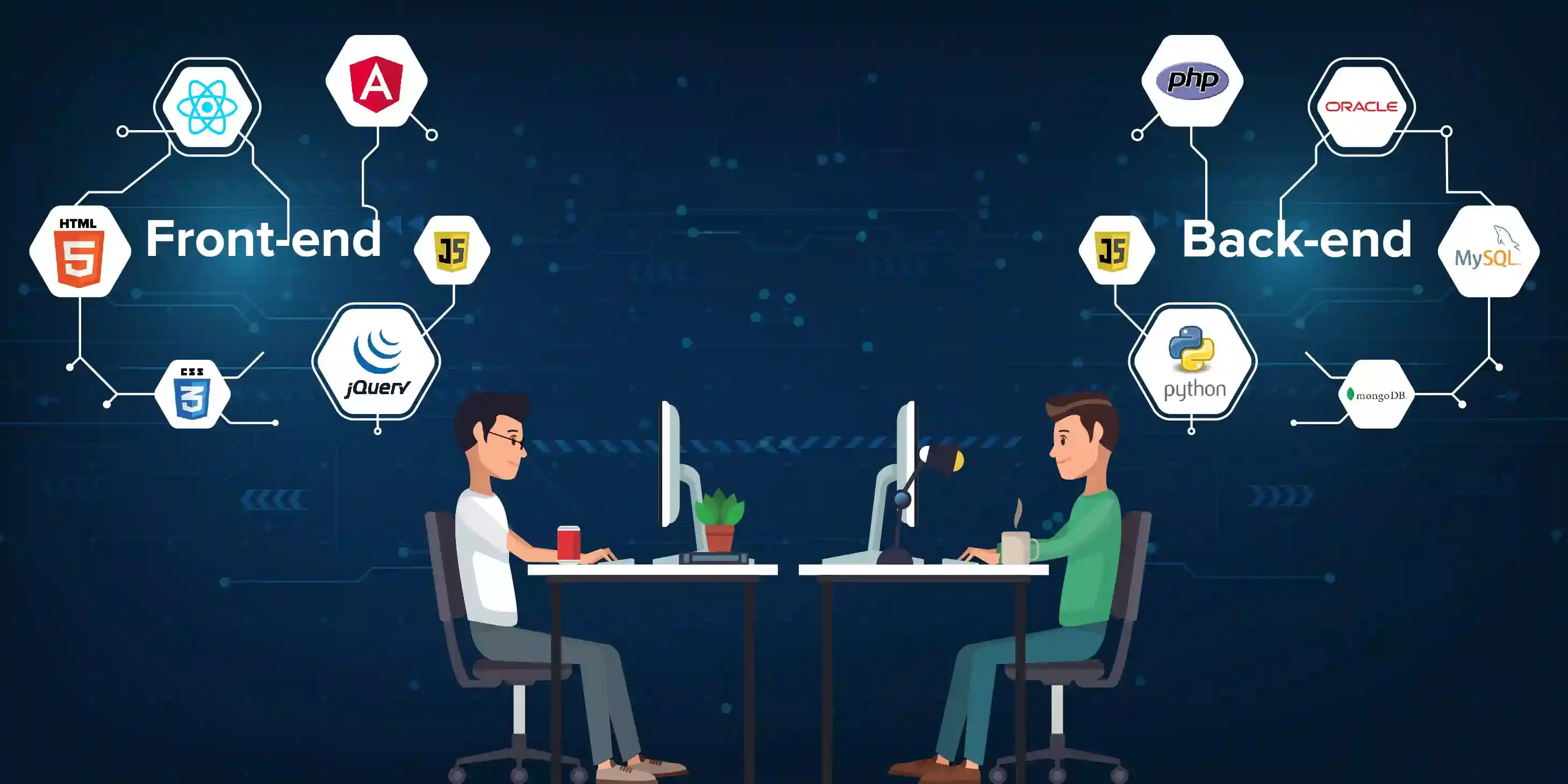
Web development is one of the highest-paying skills in both jobs and freelancing. Every business needs a website, and skilled developers are always required to build and maintain them.
You can start with basic HTML, CSS, and JavaScript, and then move to advanced frameworks. As a freelancer, you can create websites for clients, customize themes, and even build web applications.
Content Writing Courses
Content writing is a great option for those who enjoy writing. Blogs, websites, product descriptions, and social media content all require skilled writers.
A good course can teach you how to write engaging, SEO-friendly content that attracts readers and ranks well on search engines. With practice, you can build a strong portfolio and work with multiple clients globally.
Video Editing Courses
With the rise of platforms like YouTube and Instagram, video content is more popular than ever. Video editing is a highly valuable skill that can help you earn through freelancing.
Learning software like Premiere Pro or Final Cut Pro allows you to create professional-quality videos. Many content creators and businesses are constantly looking for skilled editors.
Data Analysis and Excel Courses
Data analysis is becoming an essential skill in many industries. Companies rely on data to make decisions, and professionals who can analyse and interpret data are highly valued.
Courses in Excel, Google Sheets, and basic data analysis tools can open doors to both job opportunities and freelance work. This skill is especially useful for business-related projects.
Communication and Soft Skills Courses

Technical skills are important, but soft skills play a huge role in career growth and freelancing success. Communication, time management, and problem-solving skills help you work better with clients and teams.
These skills improve your professionalism and make it easier to build long-term relationships with clients.
Choosing the Right Course
Not every course will suit your goals, so it’s important to choose wisely. Start by identifying your interests and strengths. Then look for courses that offer practical training, real projects, and certifications.
Consistency is the key. Completing a course is not enough—you need to practice regularly and apply what you learn in real situations.
FAQs
1. Which course is best for freelancing beginners?
Digital marketing, content writing, and graphic design are great options for beginners.
2. Can I start freelancing after completing a course?
Yes, but you should also build a portfolio and practice your skills to attract clients.
3. Are online courses enough for career growth?
Online courses are very helpful, but practical experience and consistency are equally important.
4. How long does it take to learn a new skill?
It depends on the course and your dedication, but most skills can be learned in 3–6 months with regular practice.
5. Do I need certifications to get freelance work?
Certifications help, but clients usually care more about your skills and portfolio.
Who should use Education
Must-Have Courses for Career Growth and Freelancing Success is built for readers who want a faster way to finish everyday web tasks. The main goal is shorter workflows, clearer outputs, and reusable tool habits, so the guide focuses on practical choices instead of broad theory.
Use it when you need one of these outcomes:
- testing a task before choosing a heavier app
- saving time on a repeated browser workflow
- combining a guide with a related AltFTool utility
How to get a better result
- Read the core use case and decide what output you need.
- Open the related AltFTool utility and test it with a small sample.
- Review the result, adjust settings, and repeat only if needed.
- Continue with related tools or guides for the next step in the workflow.
Start small, check the first output, and only then repeat the workflow with the full file, text, media, or game session. That gives you a quick quality check before you spend more time.
Quality checks before you trust the output
- the input is clean before running the tool
- the output matches the format you need
- private details are removed before sharing or downloading
Do not overcomplicate a simple task. Start with the smallest sample that proves the workflow, then scale up once the output looks right.
Continue your workflow
If you want to try the workflow now, open the related AltFTool tool area. For more reading, continue through the Education archive or the AltFTool tools directory.
This creates a cleaner path from explanation to action: read the guide, test the tool, compare the output, and move into the next related AltFTool resource only when it helps the task.
Reader questions
Quick answers
What is Must-Have Courses for Career Growth and Freelancing Success about?
In today’s fast-changing digital world, building a successful career or becoming a freelancer requires more than just a degree. Companies and clients now look f
When should I use Education?
Use Education when you need testing a task before choosing a heavier app or saving time on a repeated browser workflow. It is best for shorter workflows, clearer outputs, and reusable tool habits.
How do I get better results from Education?
Start with a small sample, then check that the input is clean before running the tool and the output matches the format you need. Review the output before using it in a final workflow.
Where can I find more Education guides?
Use the AltFTool blog archive, AltFTool tools directory, and related links on this page to explore more Education tutorials, tool workflows, and practical recommendations.
Sources and review notes
References used to check facts, freshness, and reader-safe recommendations in this guide.
Reviewed against AltFTool editorial guidance, related site archives, and linked tool pages for freshness and reader usefulness.
- 1AltFTool Education archive
AltFTool
- 2AltFTool tools directory
AltFTool
Discussion
0 comments
No comments yet
Discussion will appear here once it loads.