
In today’s fast-moving digital world, time has become one of the most valuable resources. Whether you are a student, freelancer, content creator, or business professional, managing multiple tasks every day can feel overwhelming. That’s where AI-powered Chrome extensions come in. These smart tools help automate tasks, improve productivity, and make your browsing experience much smoother.
The good news is that you don’t always need expensive tools to work smarter. There are many free AI Chrome extensions that can completely transform the way you work online. In this blog, we will explore some of the best free AI Chrome extensions that can help you save time, boost efficiency, and simplify your daily digital tasks.
Why AI Chrome Extensions Are Becoming So Popular
Before we jump into the list, it’s important to understand why these tools are gaining so much attention. AI Chrome extensions are basically small browser tools powered by artificial intelligence. They integrate directly into your Chrome browser and assist you while you work, write, research, or even communicate.
The biggest reason for their popularity is simple: they reduce manual effort. Instead of switching between multiple apps or doing repetitive tasks, these extensions do the work for you in seconds. From writing emails to summarizing articles, they act like a personal assistant right inside your browser.
Another major advantage is accessibility. Most of these tools are free or offer generous free plans, making them perfect for beginners and professionals alike.
Grammarly – Your AI Writing Assistant

One of the most widely used AI Chrome extensions is Grammarly. It is not just a grammar checker; it is a complete writing assistant. Whether you are writing emails, blog posts, or social media content, Grammarly helps you improve clarity, tone, and correctness.
What makes Grammarly powerful is its real-time suggestions. It highlights spelling mistakes, grammatical errors, and even suggests better sentence structures. The AI also understands context, so it can tell whether your writing sounds formal, friendly, or professional.
For anyone who writes regularly, Grammarly saves a huge amount of editing time and improves overall communication quality.
ChatGPT for Chrome – Instant AI Assistance
ChatGPT-based Chrome extensions have become extremely popular for everyday tasks. These extensions allow you to access AI directly from your browser without opening a separate tab.
You can use it to write emails, generate ideas, summarize content, or even explain complex topics in simple language. It acts like an all-in-one assistant that responds instantly to your queries.
The biggest advantage is speed. Instead of searching multiple websites, you can get answers, drafts, and ideas within seconds. This makes it a powerful productivity booster for students and professionals.
Merlin AI – Smart Productivity Companion
Merlin AI is another powerful free Chrome extension that brings AI assistance to your everyday browsing. It integrates with websites like Google, YouTube, and LinkedIn to help you summarize content and generate responses quickly.
For example, if you are reading a long article, Merlin can summarize it in a few lines. If you are watching a YouTube video, it can give you key points without watching the entire video.
This saves a lot of time, especially when you are doing research or learning something new online. It’s like having a smart assistant that filters out unnecessary information.
QuillBot – AI Paraphrasing Tool
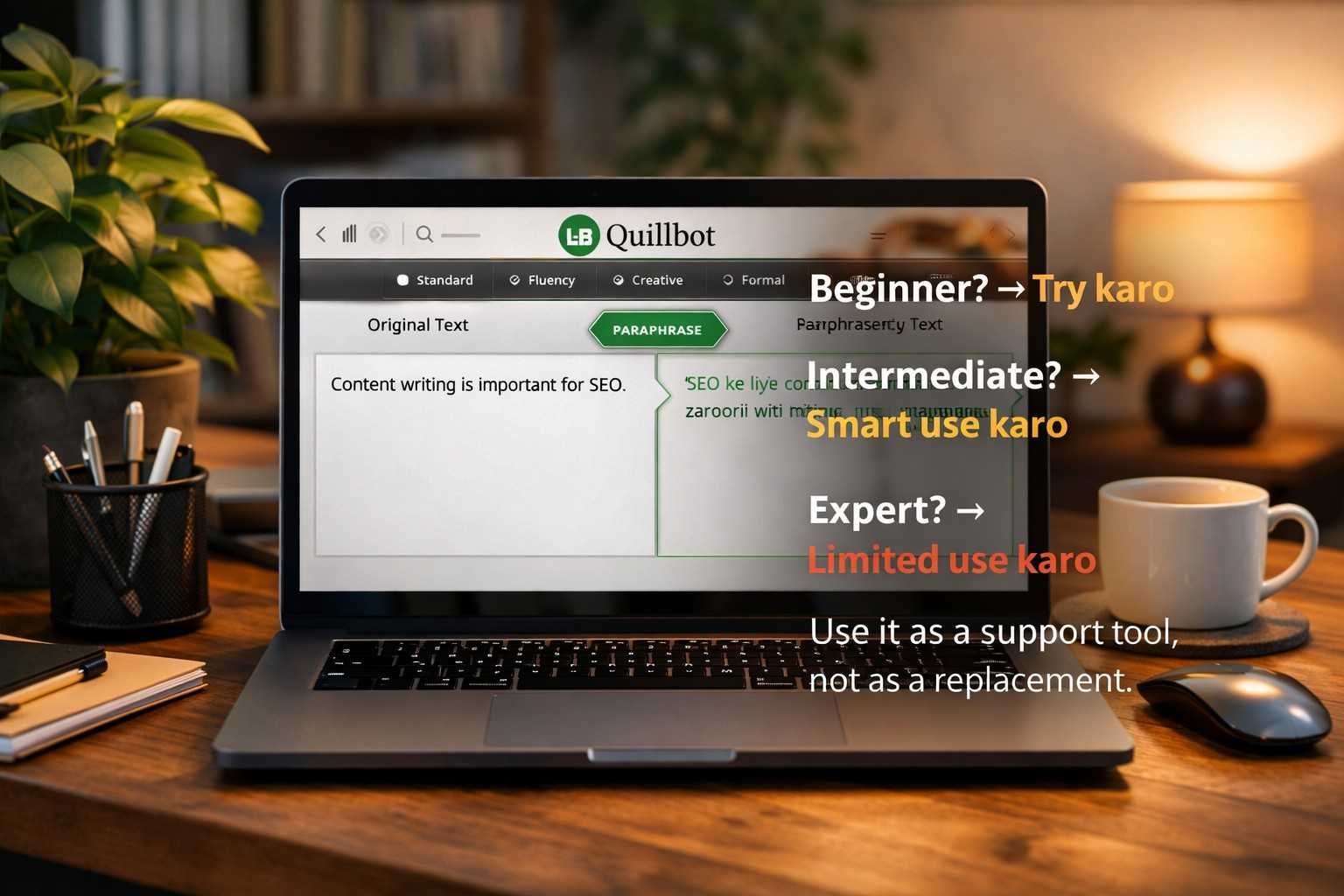
QuillBot is a favorite among writers, students, and researchers. It is mainly used for paraphrasing text while maintaining the original meaning.
Sometimes we struggle to express the same idea in different words, especially in academic writing or content creation. QuillBot solves this problem instantly by rewriting sentences in multiple styles.
It also includes grammar checking, summarizing tools, and citation generators. The free version is powerful enough for most everyday writing tasks, making it a must-have Chrome extension.
Compose AI – Faster Writing with AI
Compose AI is designed to help you write faster by auto-completing sentences and generating text based on your input. It reduces the time spent typing repetitive content such as emails, messages, and reports.
One of its standout features is predictive text generation. As you type, it suggests full sentences that match your writing style. This not only saves time but also improves writing consistency.
If you frequently write emails or professional messages, Compose AI can significantly speed up your workflow.
Tactiq – Meeting Notes Made Easy
Tactiq is an AI-powered Chrome extension that helps you capture and summarize meeting conversations. It works with platforms like Google Meet and Zoom.
Instead of manually taking notes during meetings, Tactiq automatically transcribes discussions and highlights important points. This is especially useful for remote teams and professionals who attend multiple meetings daily.
With this tool, you can focus on the conversation instead of worrying about missing important details.
Scribe – Automatic Process Documentation
Scribe is a unique AI extension that records your screen actions and turns them into step-by-step guides. It is extremely helpful for training, tutorials, and workflow documentation.
For example, if you are explaining how to use a tool, Scribe automatically creates a visual guide with screenshots and instructions. This saves hours of manual documentation work.
It is widely used by teams for onboarding and internal training purposes.
Wordtune – Improve Your Writing Style
Wordtune is another excellent AI writing assistant that focuses on rewriting and improving sentences. It helps you express your thoughts more clearly and professionally.
Unlike simple grammar tools, Wordtune suggests different ways to rephrase your sentences while keeping the meaning intact. You can also adjust tone, such as making your writing more formal or casual.
This makes it ideal for emails, blogs, and business communication.
How These AI Chrome Extensions Save Time
The real value of these AI tools is time efficiency. Instead of spending hours on writing, researching, or summarizing, these extensions handle it in seconds.
They also reduce mental load. You don’t have to constantly think about grammar rules, sentence structure, or formatting. The AI takes care of it, allowing you to focus on more important tasks.
Another benefit is multitasking. With these tools, you can handle writing, learning, and communication all at the same time without switching platforms.
Are Free AI Chrome Extensions Enough?
Many people wonder whether free versions are actually useful. The answer is yes—absolutely.
Most free AI Chrome extensions offer enough features for daily use. While premium versions may unlock advanced tools, the free versions are more than sufficient for students, freelancers, and casual users.
The key is to choose the right tools based on your needs rather than installing everything at once.
Conclusion
AI Chrome extensions have completely changed the way we work online. From writing assistance to automation and research support, these tools make everyday tasks faster and easier.
The best part is that you don’t need to spend money to get started. Free AI Chrome extensions like Grammarly, QuillBot, Merlin AI, and others are powerful enough to handle most productivity needs.
If used correctly, these tools can save hours of work every week and help you focus on what truly matters. Whether you are a student trying to improve writing or a professional managing multiple tasks, AI Chrome extensions are a smart addition to your digital toolkit.
FAQ
Who should use Digital Tools
Best Free AI Chrome Extensions to Save Time and Work Smarter is built for browser users who want helpful add-ons without slowing down their setup. The main goal is a cleaner browser workflow with fewer risky or unnecessary extensions, so the guide focuses on practical choices instead of broad theory.
Use it when you need one of these outcomes:
- adding one-click help to everyday browser tasks
- reducing repetitive copy, download, or writing work
- testing a workflow before adding more extensions
How to get a better result
- Install only the extension that solves your current task.
- Review permissions before enabling it on important sites.
- Test it on a low-risk page before using it in daily work.
- Remove duplicate extensions so the browser stays fast and predictable.
Start small, check the first output, and only then repeat the workflow with the full file, text, media, or game session. That gives you a quick quality check before you spend more time.
Quality checks before you trust the output
- the extension permissions match the job it claims to do
- reviews and update history look trustworthy
- you can disable or remove it easily if it is not useful
Avoid stacking multiple extensions that do the same job. Too many add-ons can slow browsing, add confusing buttons, and increase permission risk.
Continue your workflow
If you want to try the workflow now, open the related AltFTool tool area. For more reading, continue through the Digital Tools archive or the AltFTool extension guides.
This creates a cleaner path from explanation to action: read the guide, test the tool, compare the output, and move into the next related AltFTool resource only when it helps the task.
Reader questions
Quick answers
What is Best Free AI Chrome Extensions to Save Time and Work Smarter about?
In today’s fast-moving digital world, time has become one of the most valuable resources. Whether you are a student, freelancer, content creator, or business pr
When should I use Digital Tools?
Use Digital Tools when you need adding one-click help to everyday browser tasks or reducing repetitive copy, download, or writing work. It is best for a cleaner browser workflow with fewer risky or unnecessary extensions.
How do I get better results from Digital Tools?
Start with a small sample, then check that the extension permissions match the job it claims to do and reviews and update history look trustworthy. Review the output before using it in a final workflow.
Where can I find more Digital Tools guides?
Use the AltFTool blog archive, AltFTool extension guides, and related links on this page to explore more Digital Tools tutorials, tool workflows, and practical recommendations.
Sources and review notes
References used to check facts, freshness, and reader-safe recommendations in this guide.
Reviewed against AltFTool editorial guidance, related site archives, and linked tool pages for freshness and reader usefulness.
- 1AltFTool Digital Tools archive
AltFTool
- 2AltFTool extension guides
AltFTool
- 3AltFTool related tools area
AltFTool
Discussion
0 comments
No comments yet
Discussion will appear here once it loads.