
A New Era of Life Simulation
Life simulation games have always had a special place in the gaming world, offering players a chance to create, control, and explore virtual lives in imaginative ways. With the upcoming release of Tomodachi Life: Living the Dream on April 16, this beloved concept is returning with a fresh twist, more creativity, and even more unpredictable fun.
Whether you’re a longtime fan of the original Tomodachi Life or completely new to the series, this new installment promises a unique blend of humor, creativity, and social interaction that stands apart from other simulation games. From building your own island to watching quirky relationships unfold, the game is designed to surprise you at every turn.
Even better, players can get started early by downloading a free demo, allowing them to begin building their island and transfer progress to the full game later. This feature alone makes it easier than ever to dive into the experience before the official launch.
What Is Tomodachi Life: Living the Dream About?
At its core, Tomodachi Life: Living the Dream is about creating your own island paradise and filling it with characters known as Miis. These Miis are fully customizable avatars that can represent anyone—from yourself and your friends to celebrities or completely fictional personalities.
Once your island begins to populate, the real magic starts. The Miis interact with each other in unexpected and often hilarious ways, forming relationships, asking for help, and living out their daily lives. Unlike traditional games with fixed storylines, this game thrives on spontaneity. Every player’s experience is different because the interactions between Miis are dynamic and ever-changing.
You are not just a player—you are more like an observer, guide, and creator, shaping the environment while letting the characters live their own lives.
Creating Your Miis: Endless Possibilities

One of the most exciting aspects of the game is the Mii creation system. Players are given two main methods to bring their characters to life: Get Help and From Scratch.
The Get Help option is ideal for those who want a quick and guided creation process. By answering a few simple questions about features like face shape, hairstyle, and eyes, the system generates a Mii based on your preferences. This method is fast, intuitive, and surprisingly accurate.
On the other hand, From Scratch offers full creative control. You can customize every detail of your Mii, from facial features and hairstyles to eyebrows and expressions. The addition of the Face Paint tool takes customization even further, allowing players to draw unique designs or add stamps to create truly one-of-a-kind characters.
After designing your Mii’s appearance, you can define their height, body type, and personality traits. These personality choices play a significant role in how Miis behave and interact on the island, making each character feel unique and alive.
Keeping Your Miis Happy and Engaged
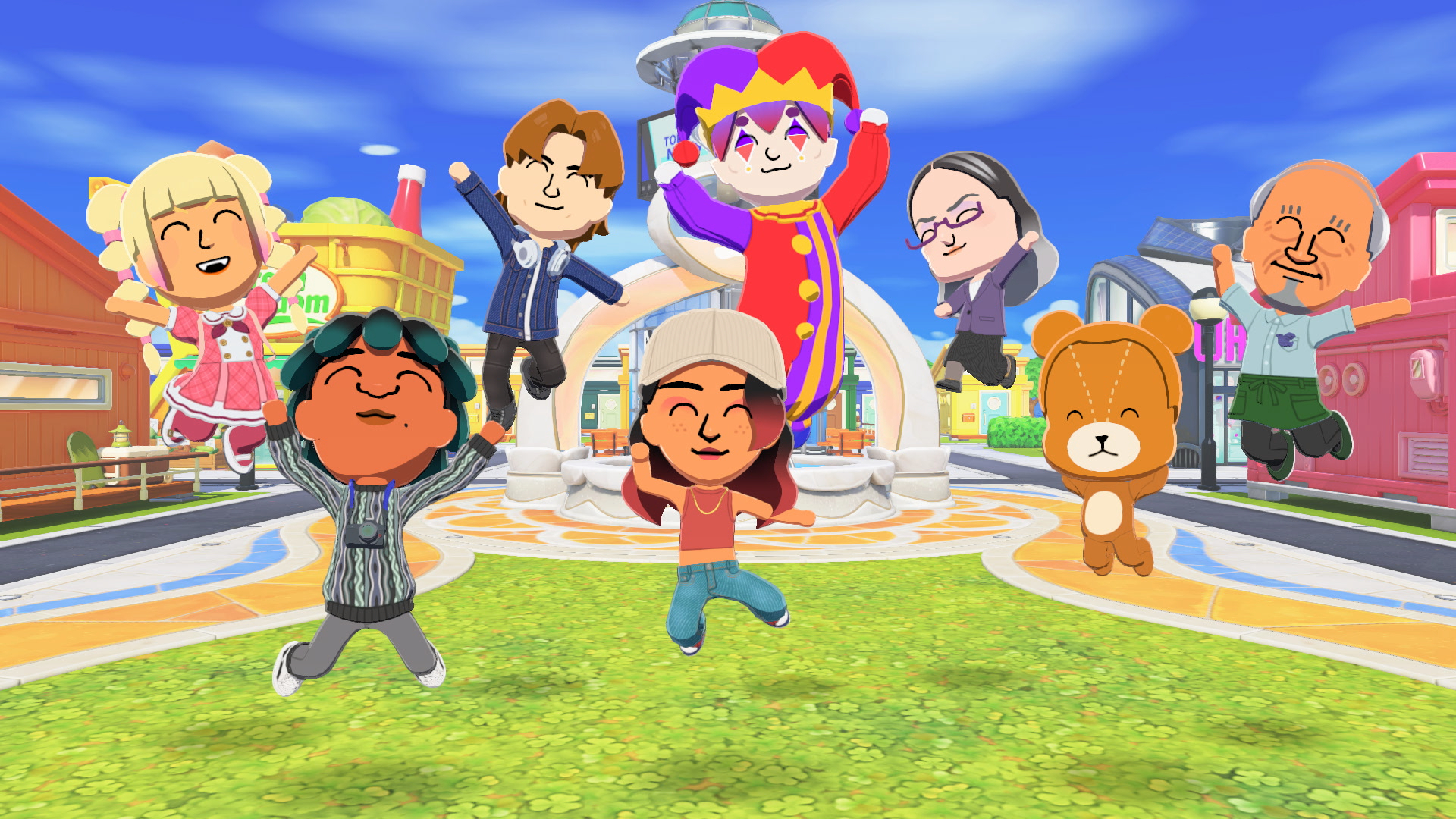
Once your island starts filling up with Miis, your role shifts toward managing their happiness and well-being. From time to time, you’ll notice icons appearing above their heads—these are signals that a Mii wants your attention.
By interacting with them, you can discover their needs and desires. They might ask for food, a change in their home’s interior, or even advice about relationships. Meeting these needs helps them level up and become more content.
You can also personalize your Miis further by giving them catchphrases, quirks, and preferences. These small details add depth to their personalities and often lead to amusing interactions with other residents.
The more you invest in your Miis, the more rewarding it becomes to watch their lives unfold.
Social Interactions: From Friendship to Romance
The heart of Tomodachi Life: Living the Dream lies in the relationships between Miis. As your island grows, characters will naturally start interacting with one another.
Sometimes, two Miis may not know each other yet. In such cases, you can step in and introduce them by physically placing them near one another. From there, relationships begin to develop organically.
These interactions can evolve in many ways. Miis might become friends, argue, reconcile, or even develop romantic relationships. Some may ask for your advice on how to approach another Mii, giving you a chance to influence the outcome.
Watching these relationships grow—and occasionally spiral into chaos—is one of the most entertaining aspects of the game. It creates a sense of unpredictability that keeps players engaged for hours.
Building and Enhancing Your Island
Your island is more than just a setting—it’s a living, evolving space that reflects your creativity. As more Miis move in, new shops and facilities will appear, adding functionality and variety to your environment.
However, simply having buildings isn’t enough. Their placement and design matter. This is where Quick Build amenities come into play, allowing you to enhance the layout and aesthetic of your island.
For players who want even more creative freedom, the Palette House feature is a game-changer. Here, you can design custom items such as food, clothing, buildings, and even pets. These creations can be used to decorate your island or given to your Miis, adding a personal touch to the experience.
This level of customization ensures that no two islands are ever the same.
Shared Living and Community Growth

As your island becomes more populated, you’ll unlock the ability to house multiple Miis together. Up to eight characters can live in the same space, leading to new types of interactions and dynamics.
Living together can reveal different sides of your Miis’ personalities. Some may get along perfectly, while others might clash in amusing ways. These shared living situations add another layer of depth to the gameplay.
Additionally, the game supports local wireless connectivity, allowing you to connect with friends. You can exchange Miis and share custom creations made in the Palette House. This feature expands the experience beyond your own island, creating a sense of community among players.
The Free Demo Advantage
One of the standout features of Tomodachi Life: Living the Dream is its free demo. Unlike typical demos that offer limited gameplay, this one allows you to start building your island right away.
Even more impressive is the ability to transfer your progress to the full game upon purchase. This means your time spent in the demo is not wasted—it becomes part of your main experience.
This approach lowers the barrier to entry and encourages more players to explore the game before committing fully.
Why This Game Is Generating Buzz
There are several reasons why Tomodachi Life: Living the Dream is already gaining attention ahead of its release. First, it builds on a beloved concept while introducing new features that enhance creativity and interaction.
Second, the game embraces unpredictability. Unlike structured simulation games, it thrives on unexpected moments, making every playthrough feel fresh and entertaining.
Finally, the combination of customization, social interaction, and community sharing creates a well-rounded experience that appeals to a wide range of players—from casual gamers to dedicated fans of simulation titles.
Tips for Getting Started
If you’re planning to jump into the game, here are a few tips to make the most of your experience:
Start with a diverse group of Miis to encourage varied interactions.
Check in with your Miis regularly to keep them happy and progressing.
Experiment with customization tools to create unique characters and items.
Use introductions strategically to spark new relationships.
Take advantage of the demo to familiarize yourself with the gameplay before launch.
Final Thoughts
Tomodachi Life: Living the Dream is shaping up to be a standout life simulation game that combines creativity, humor, and social dynamics in a way few games can match. With its April 16 release just around the corner, excitement continues to build among fans and newcomers alike.
The ability to create your own world, watch relationships evolve, and experience unpredictable moments makes this game more than just a simulation—it’s a storytelling engine powered by your imagination.
Whether you’re designing quirky characters, building a vibrant island, or simply observing the chaos unfold, this game offers something truly special.
Frequently Asked Questions (FAQs)
What is the release date of Tomodachi Life: Living the Dream?
The game is scheduled to release on April 16.
Is there a demo available?
Yes, a free demo is available, allowing players to start building their island and transfer progress to the full game.
Can I customize my characters?
Absolutely. The game offers detailed customization options, including facial features, personality traits, and even face paint tools.
How do Miis interact with each other?
Miis form relationships organically, ranging from friendships to romantic connections, often asking for your guidance.
Can I play with friends?
Yes, the game supports local wireless connectivity, enabling players to share Miis and custom creations.
What makes this game unique?
Its combination of deep customization, unpredictable interactions, and creative freedom sets it apart from other life simulation game
Who should use Technology & Gadgets
Tomodachi Life: Living the Dream – Everything You Need to Know About the New Game is built for players who want a quick browser game with clear rules and short practice loops. The main goal is focus, timing, decision-making, and repeatable play sessions, so the guide focuses on practical choices instead of broad theory.
Use it when you need one of these outcomes:
- short focus breaks between work sessions
- logic or reflex practice without installing an app
- quick challenges that are easy to restart and improve
How to get a better result
- Read the basic objective before starting your first run.
- Play one short round to understand movement, timing, and scoring.
- Replay with one improvement target, such as fewer mistakes or a higher score.
- Use related game guides when you want a different pace or challenge style.
Start small, check the first output, and only then repeat the workflow with the full file, text, media, or game session. That gives you a quick quality check before you spend more time.
Quality checks before you trust the output
- controls feel responsive on desktop and mobile
- difficulty increases in a way that still feels fair
- the goal is clear before the first round starts
Do not judge the game from a single failed round. Fast games reward rhythm, while puzzle games reward slower scanning and planning.
Continue your workflow
If you want to try the workflow now, open the related AltFTool tool area. For more reading, continue through the Technology & Gadgets archive or the AltFTool game and puzzle topic cluster.
This creates a cleaner path from explanation to action: read the guide, test the tool, compare the output, and move into the next related AltFTool resource only when it helps the task.
Reader questions
Quick answers
What is Tomodachi Life: Living the Dream – Everything You Need to Know About the New Game about?
A New Era of Life SimulationLife simulation games have always had a special place in the gaming world, offering players a chance to create, control, and explore
When should I use Technology & Gadgets?
Use Technology & Gadgets when you need short focus breaks between work sessions or logic or reflex practice without installing an app. It is best for focus, timing, decision-making, and repeatable play sessions.
How do I get better results from Technology & Gadgets?
Start with a small sample, then check that controls feel responsive on desktop and mobile and difficulty increases in a way that still feels fair. Review the output before using it in a final workflow.
Where can I find more Technology & Gadgets guides?
Use the AltFTool blog archive, AltFTool game and puzzle topic cluster, and related links on this page to explore more Technology & Gadgets tutorials, tool workflows, and practical recommendations.
Sources and review notes
References used to check facts, freshness, and reader-safe recommendations in this guide.
Reviewed against AltFTool editorial guidance, related site archives, and linked tool pages for freshness and reader usefulness.
- 1
- 2
- 3AltFTool related tools area
AltFTool
Discussion
0 comments
No comments yet
Discussion will appear here once it loads.